
Student welfare
A class teacher on a phone, then the safeguarding lead on a computer · 13 steps. Filmed at Maryhill High School, where the pilot runs; the names of staff and students are made up.
That is the Dashboard.
Try it with your own school: the free trial needs nothing installed.
Start a free trialBook a demonstration on WhatsApp
Or call +256 753 404 044
All 13 steps on one page
Step 1 of 13
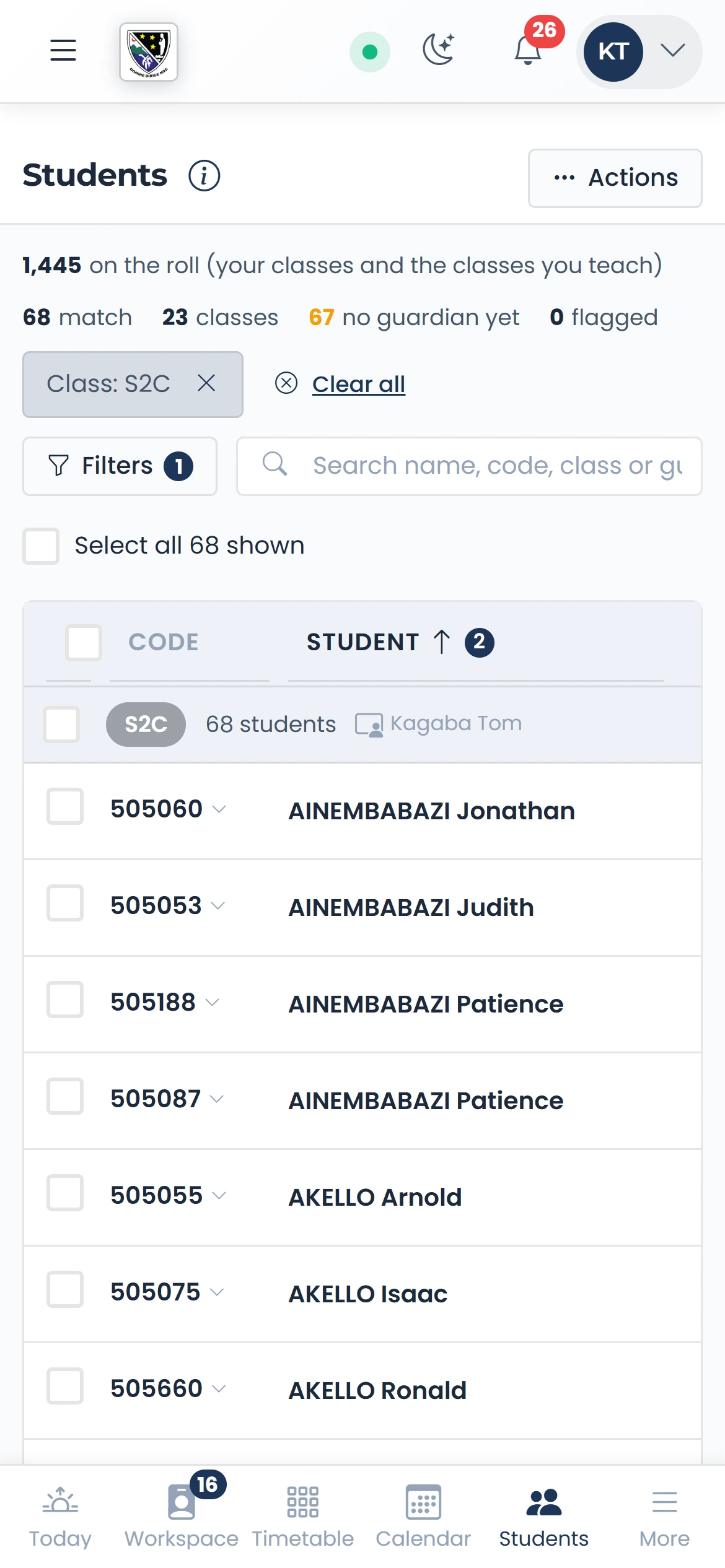
Your Student List
One line a student: the code, then the name. Press the code for everything you can do.
qmgr.cashbook.ug/admin/students/roster
Step 2 of 13
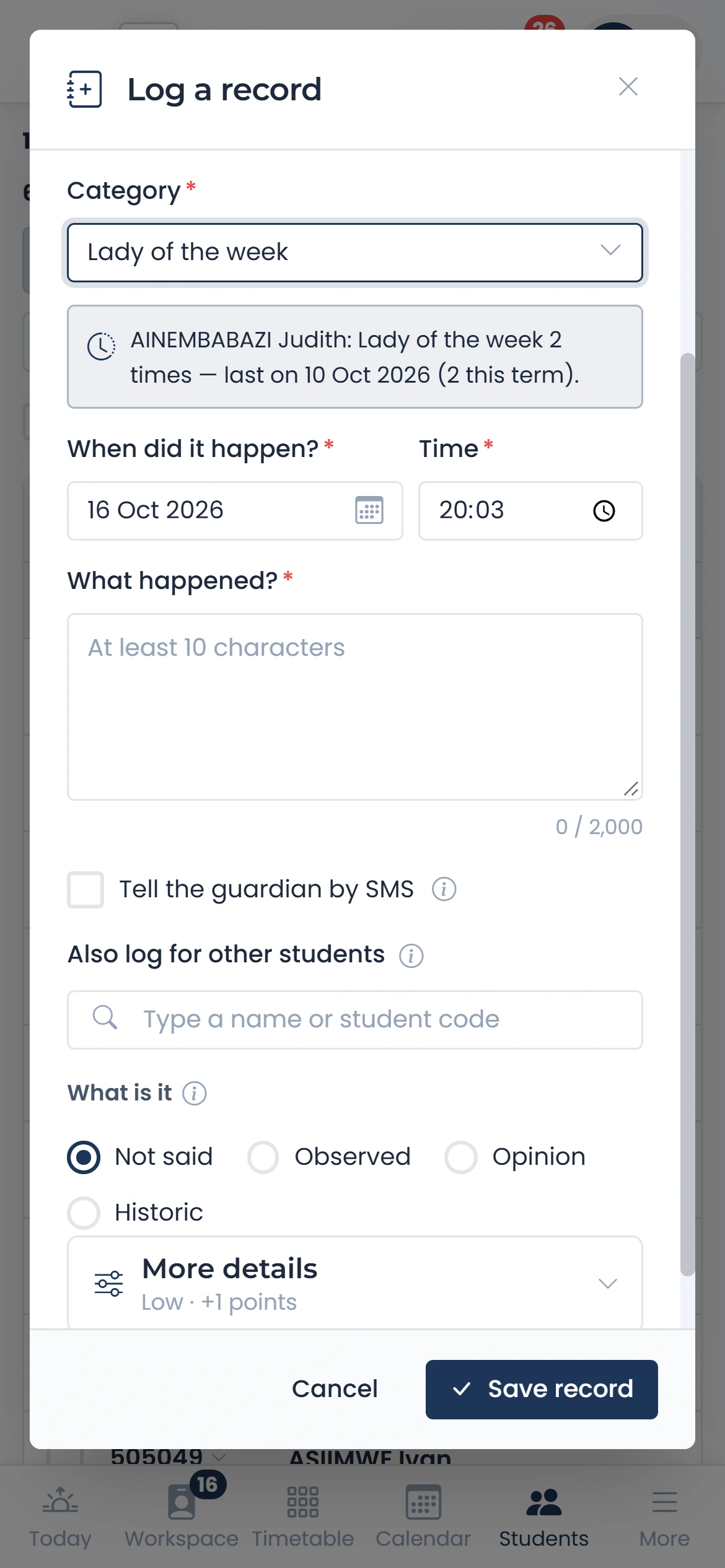
Log a record
Choose the category and it says how often this student already has it, and when last.
qmgr.cashbook.ug/admin/students/roster?class=S2C
Step 3 of 13
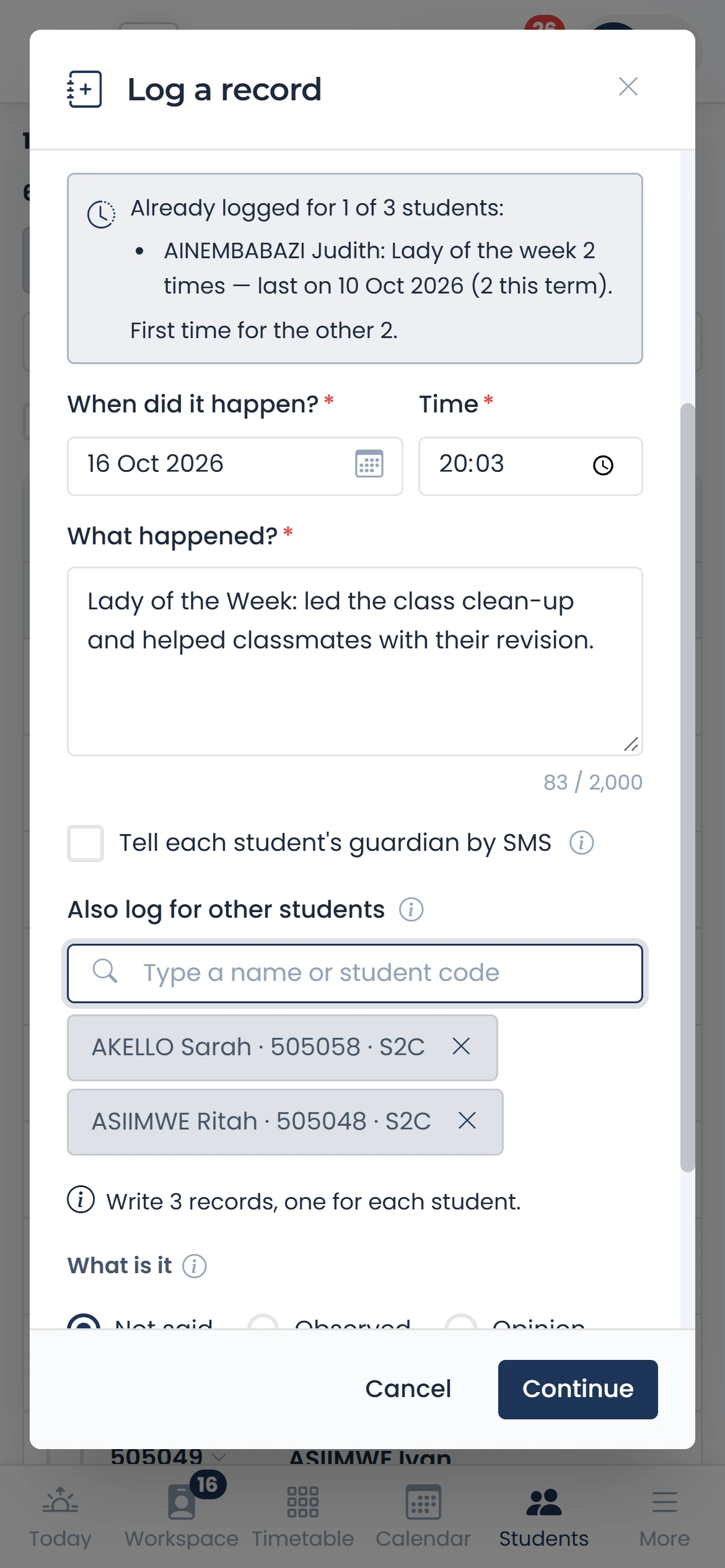
Several students at once
Also log for other students: one record each, in one go.
qmgr.cashbook.ug/admin/students/roster?class=S2C
Step 4 of 13
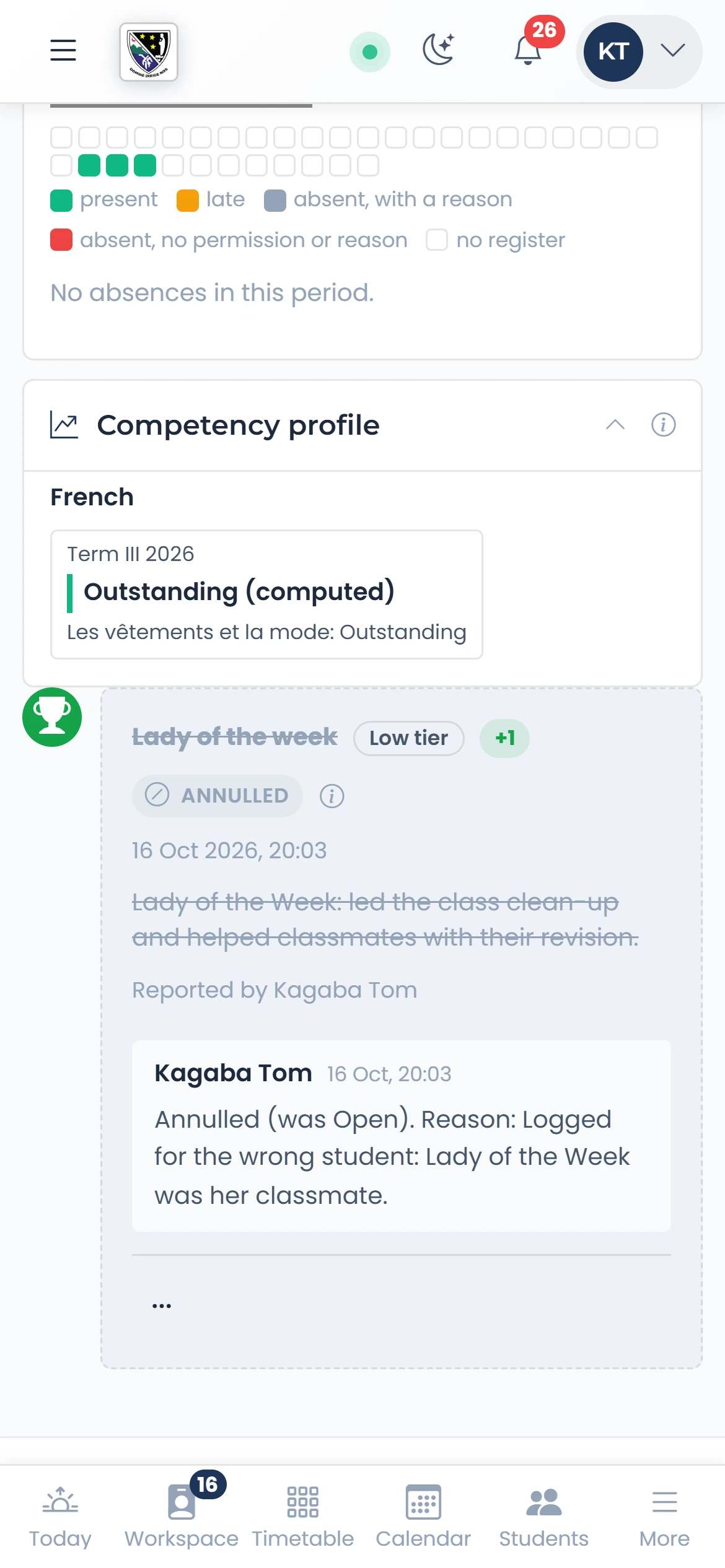
Annul a mistake
A record is never deleted. An annulled one keeps its reason and is left out of every count.
Step 5 of 13
The welfare timeline
The child’s whole story, with their attendance this term beside the records.
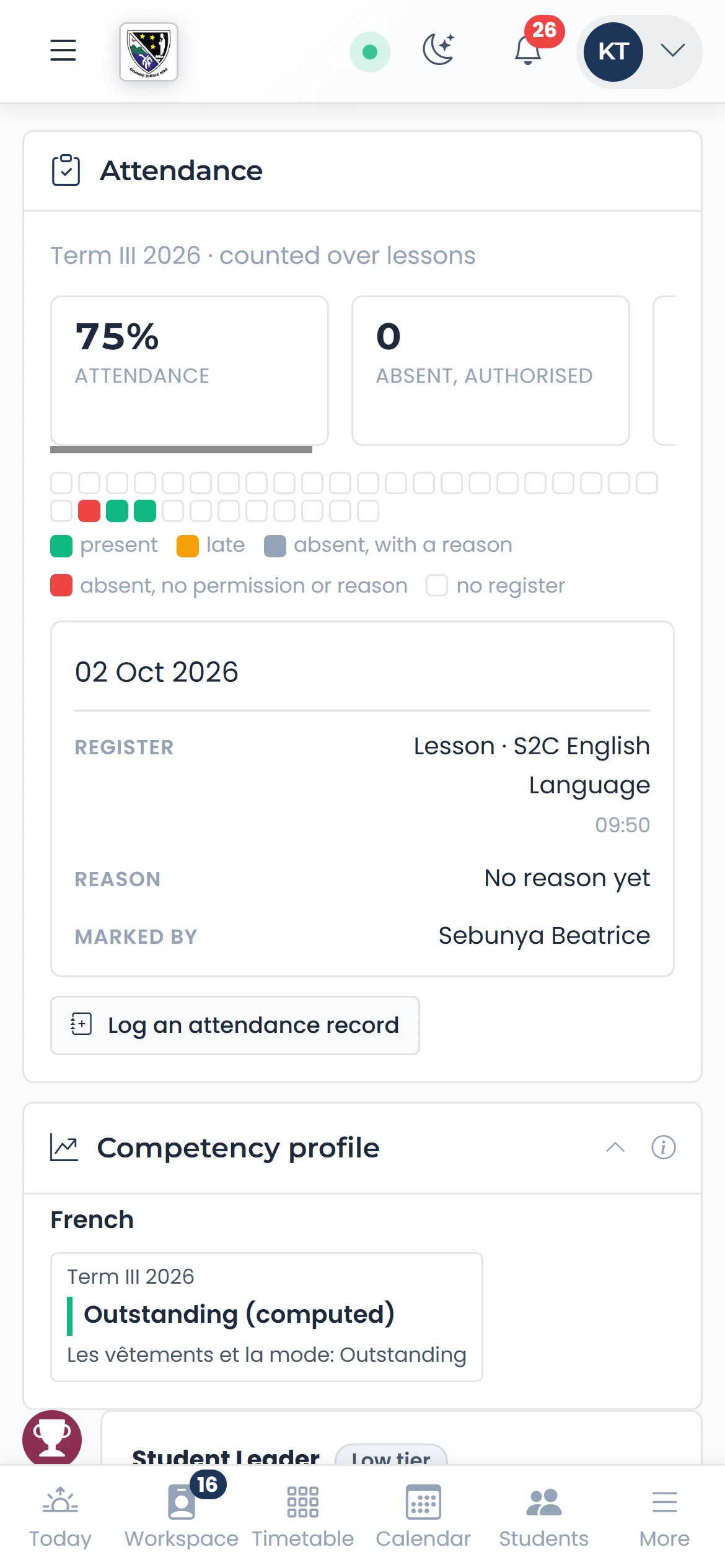
Step 6 of 13
An attendance record
Log an attendance record fills the form from the absences, naming the lesson.
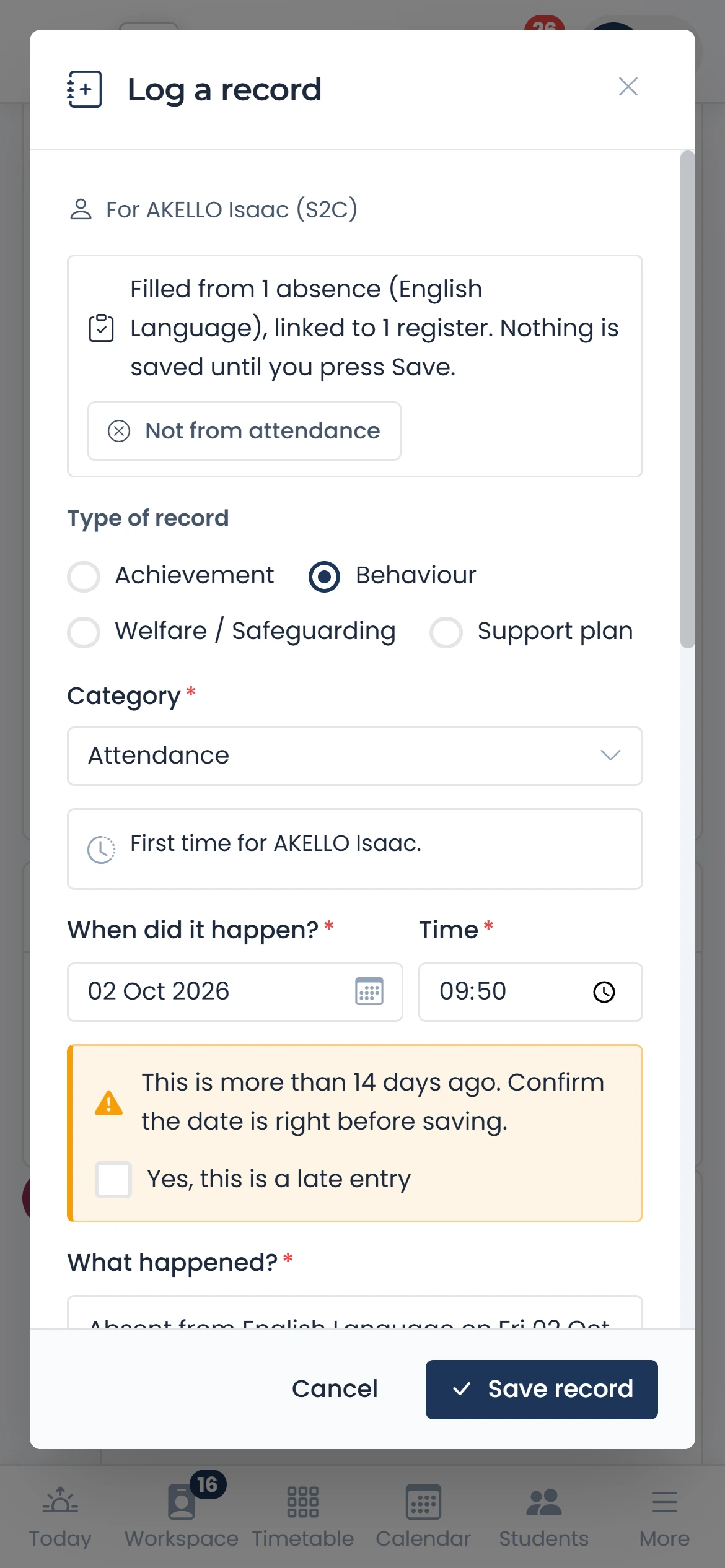
Step 7 of 13
Guardians
Who to ring first, and who must not collect the child. The gate refuses them too.
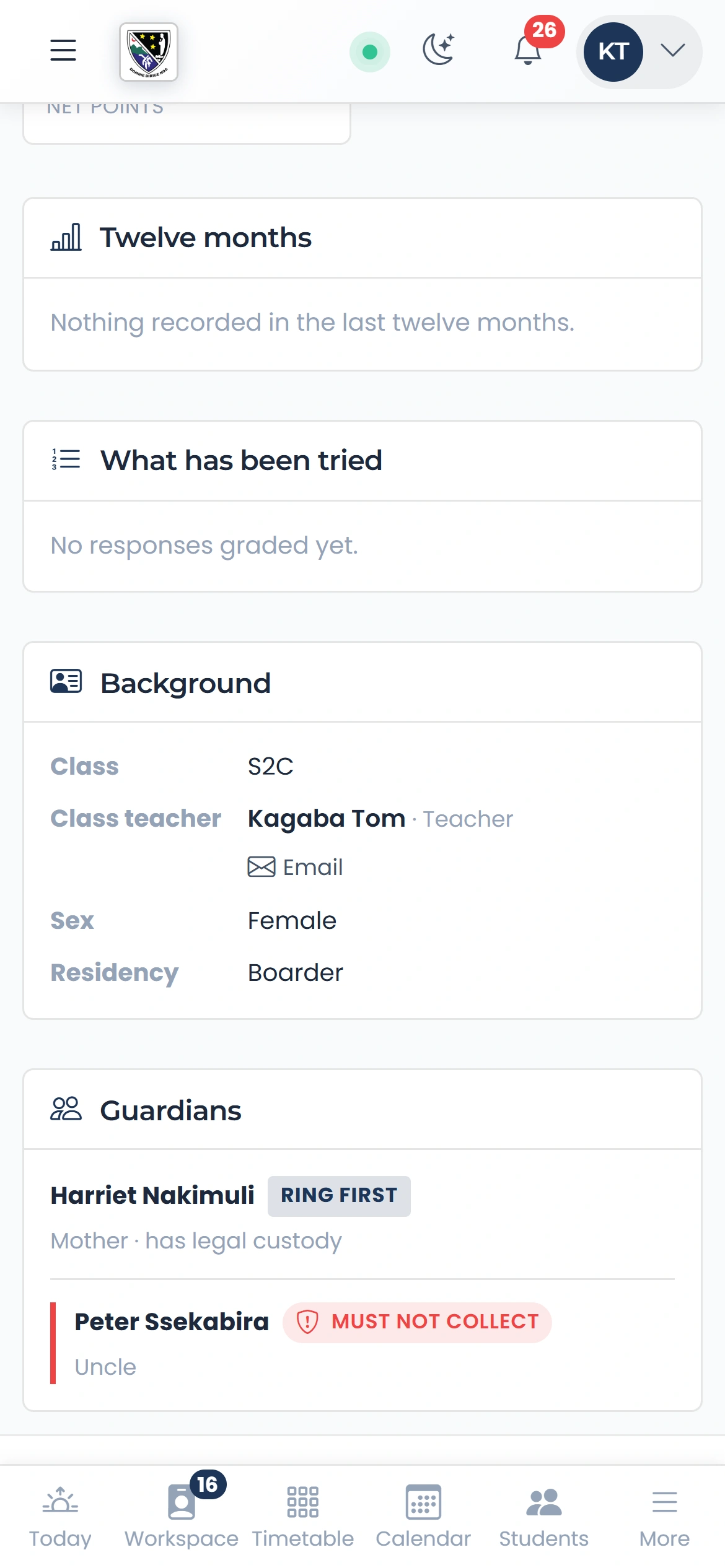
Step 8 of 13
Early warning
Students showing a signal this term, each signal in words. Never a score.
qmgr.cashbook.ug/admin/students/watchlist
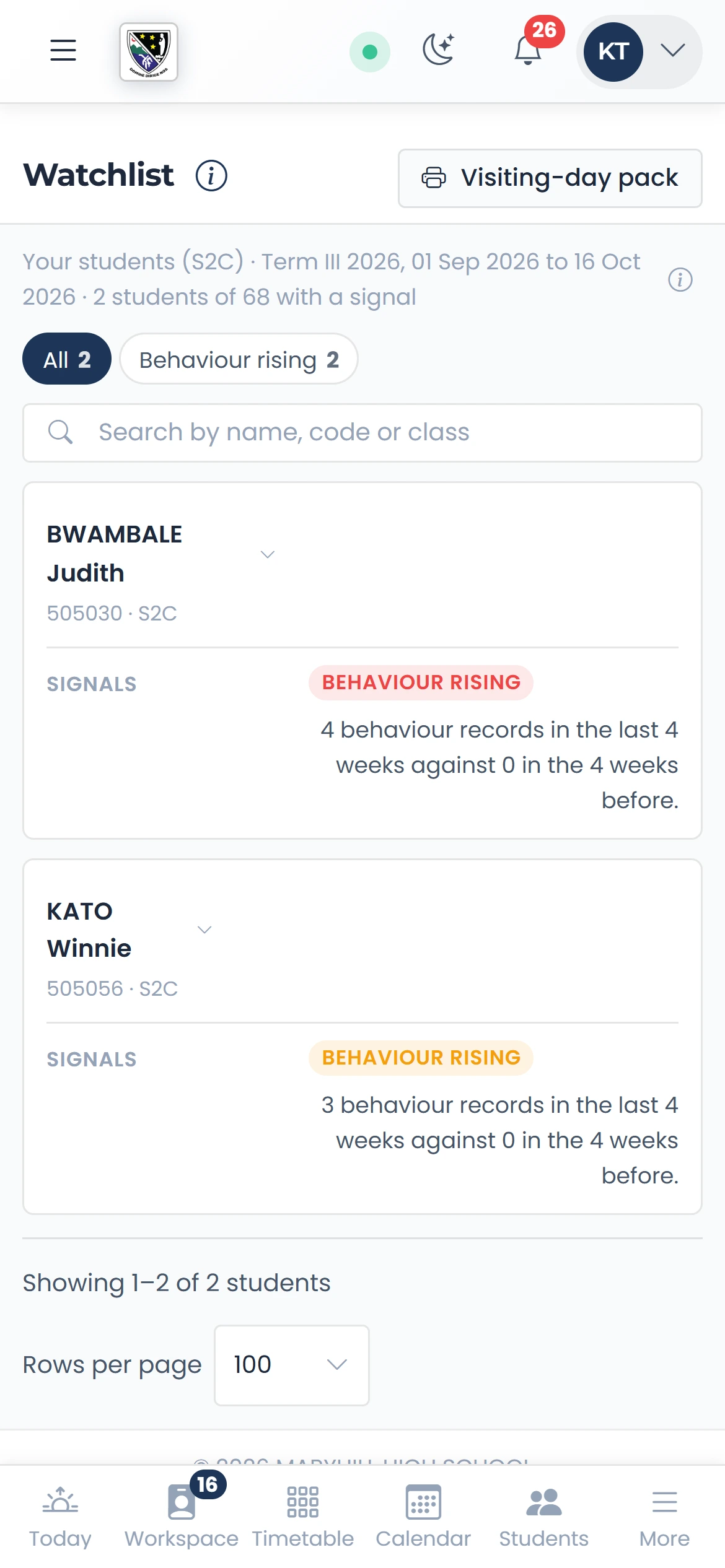
Step 9 of 13
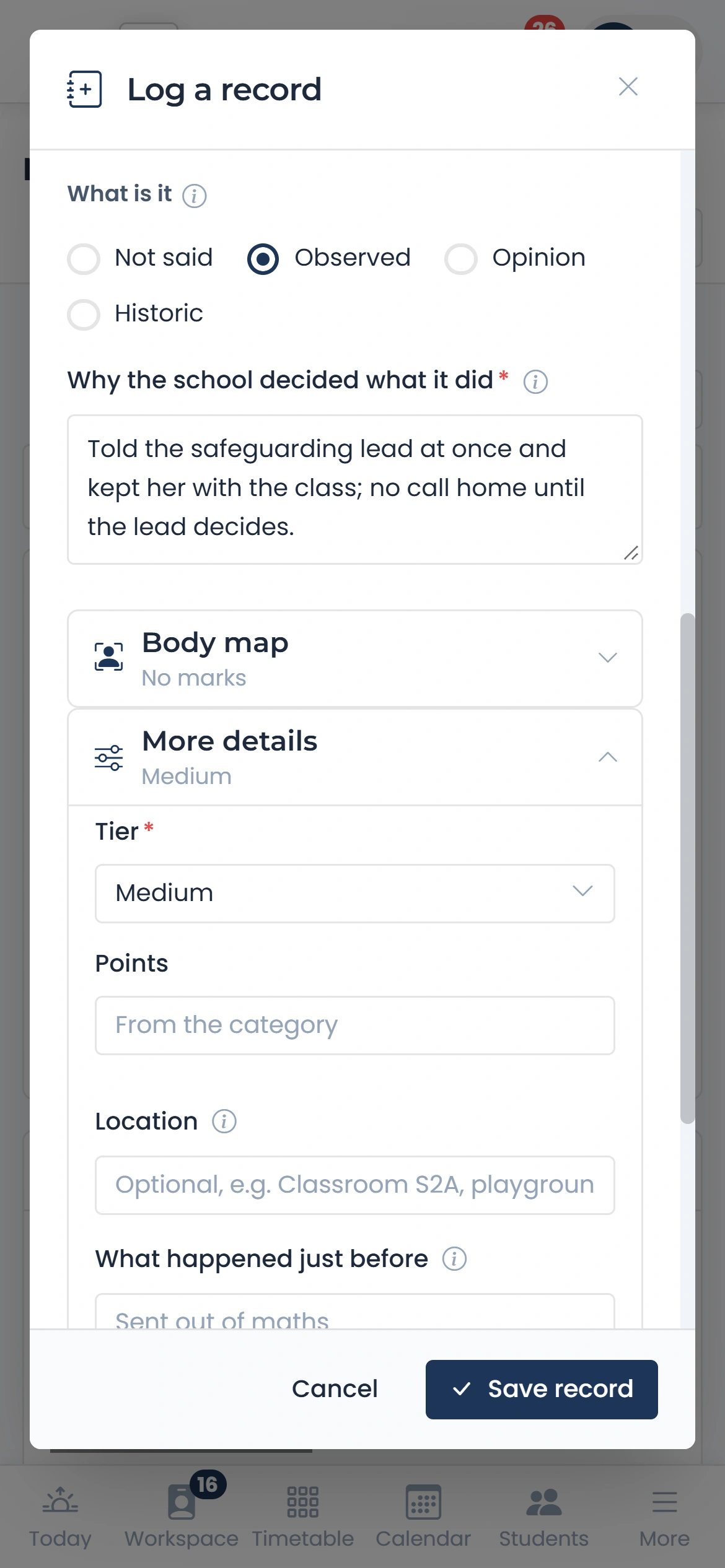
A safeguarding concern
Say what you saw and why you did what you did. It is filed Confidential and goes to the safeguarding lead.
Step 10 of 13
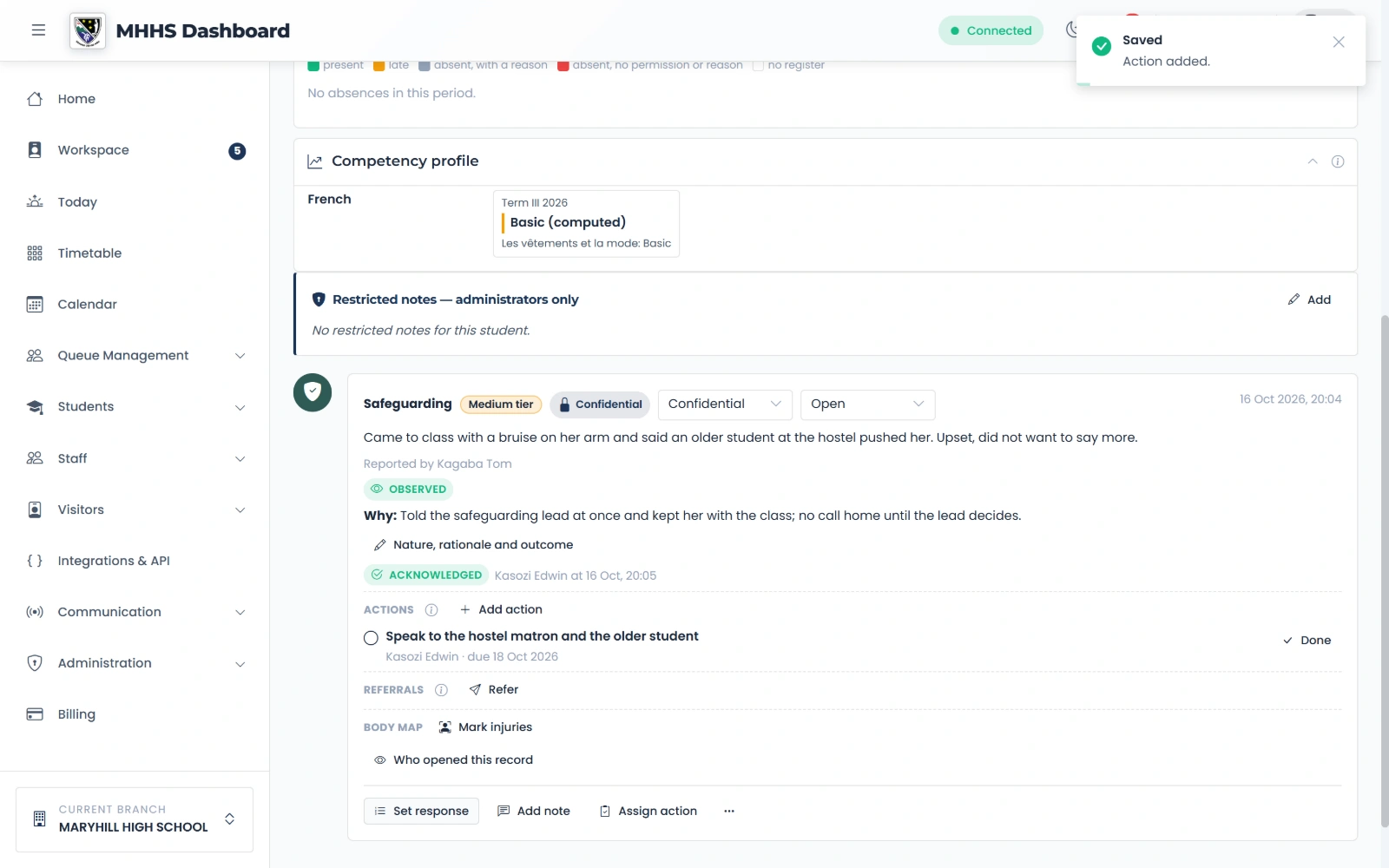
The lead’s case
The lead acknowledges it, then adds actions with an owner and a due date.
Step 11 of 13
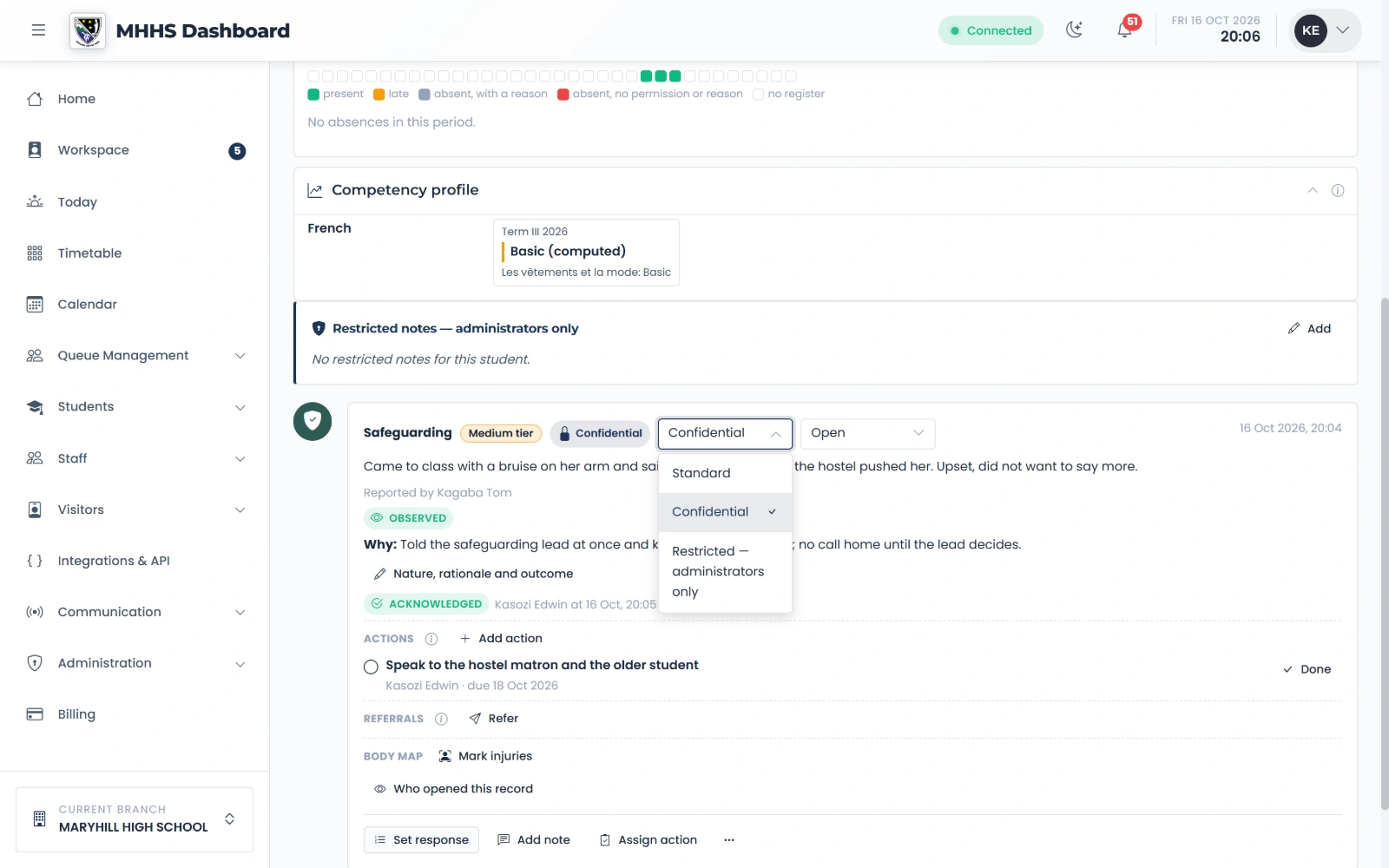
Who may read it
Standard, Confidential or Restricted: each record says who may read it.
Step 12 of 13
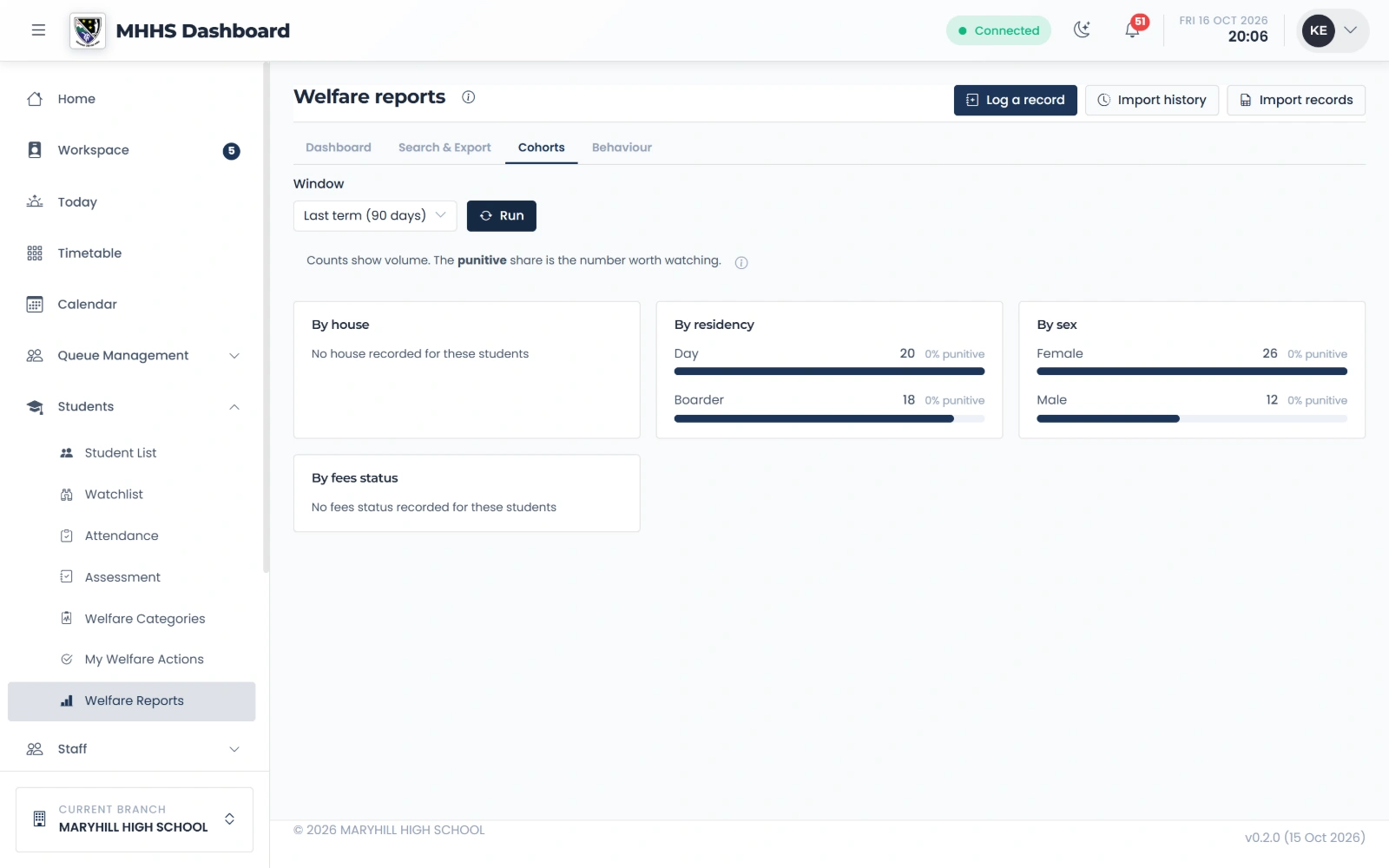
Welfare Reports
The figures by group: boarding, sex, house. A group too small to stay anonymous would say only “fewer than 5”.
qmgr.cashbook.ug/admin/welfare-reports?tab=cohorts
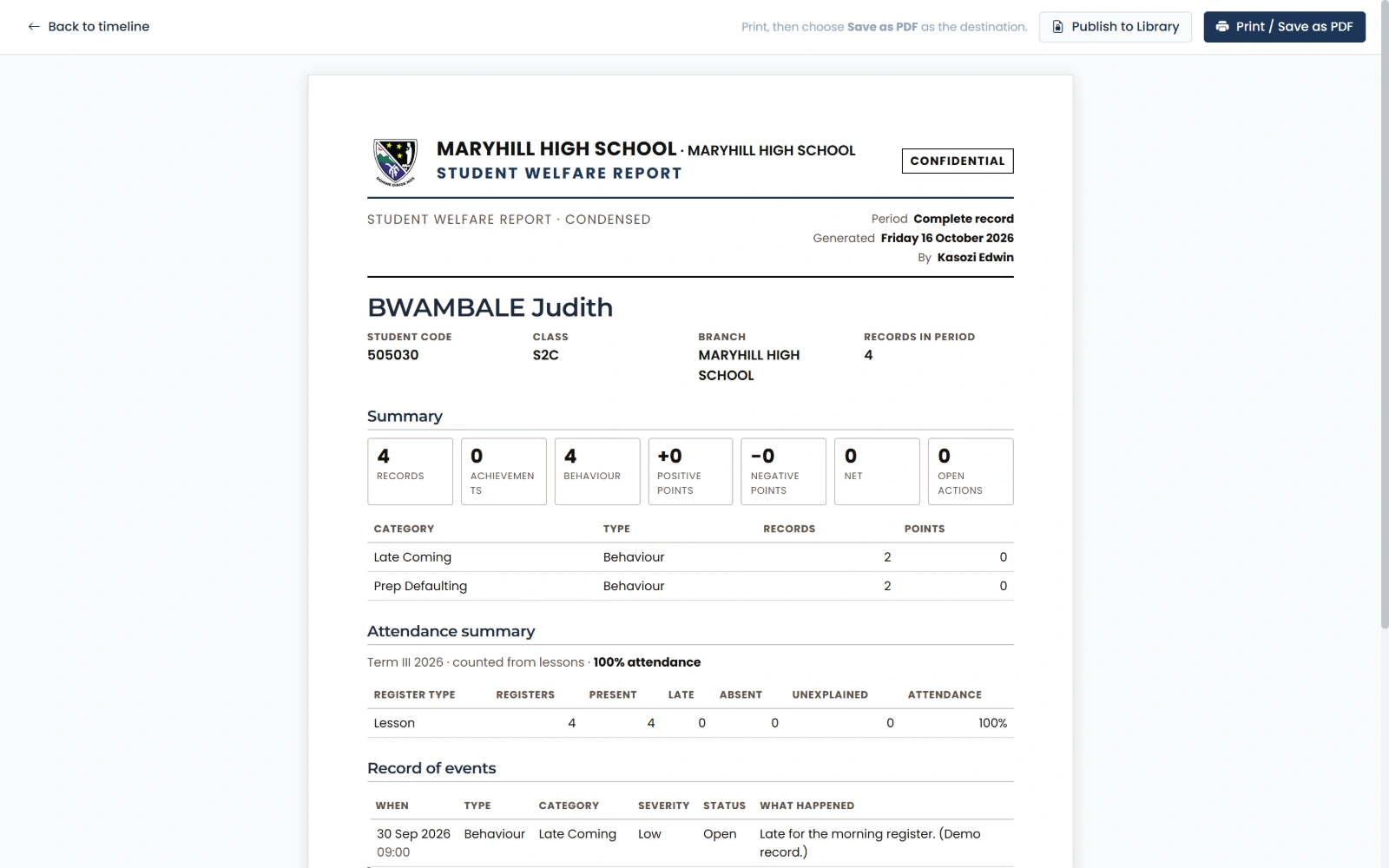
Step 13 of 13
A printable report
Headed by the school and laid out for A4. Print it or save it as a PDF.
See it with your own school
Start a free trialBook a demonstration on WhatsApp
Or call +256 753 404 044