
Calendar and events
An administrator, on a computer · 12 steps. Filmed at Maryhill High School, where the pilot runs; the names of staff and students are made up.
That is the Dashboard.
Try it with your own school: the free trial needs nothing installed.
Start a free trialBook a demonstration on WhatsApp
Or call +256 753 404 044
All 12 steps on one page
Step 1 of 12
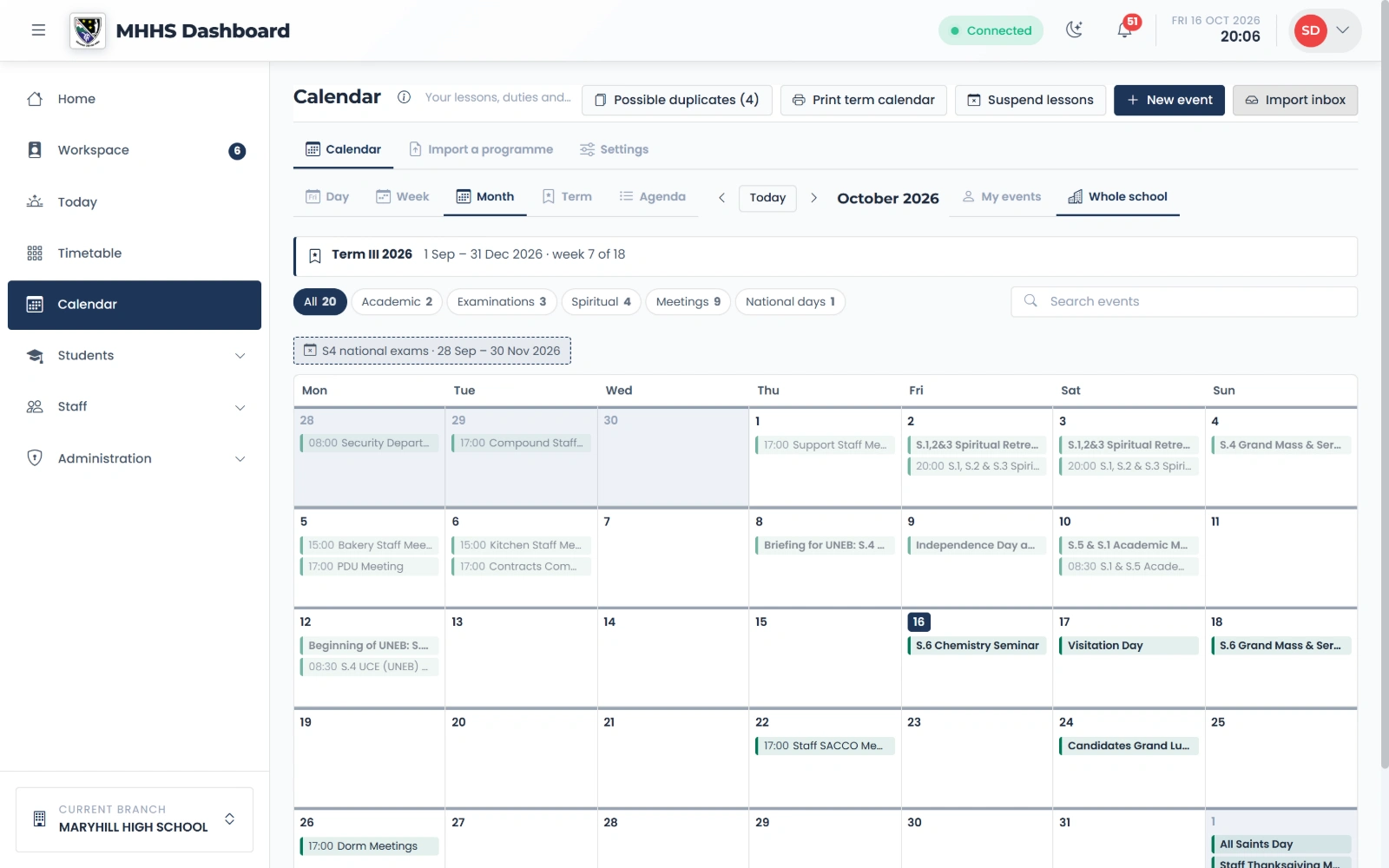
The school calendar
The whole school’s month: examinations, meetings, spiritual days, sports and national days, each in its own colour.
qmgr.cashbook.ug/calendar
Step 2 of 12
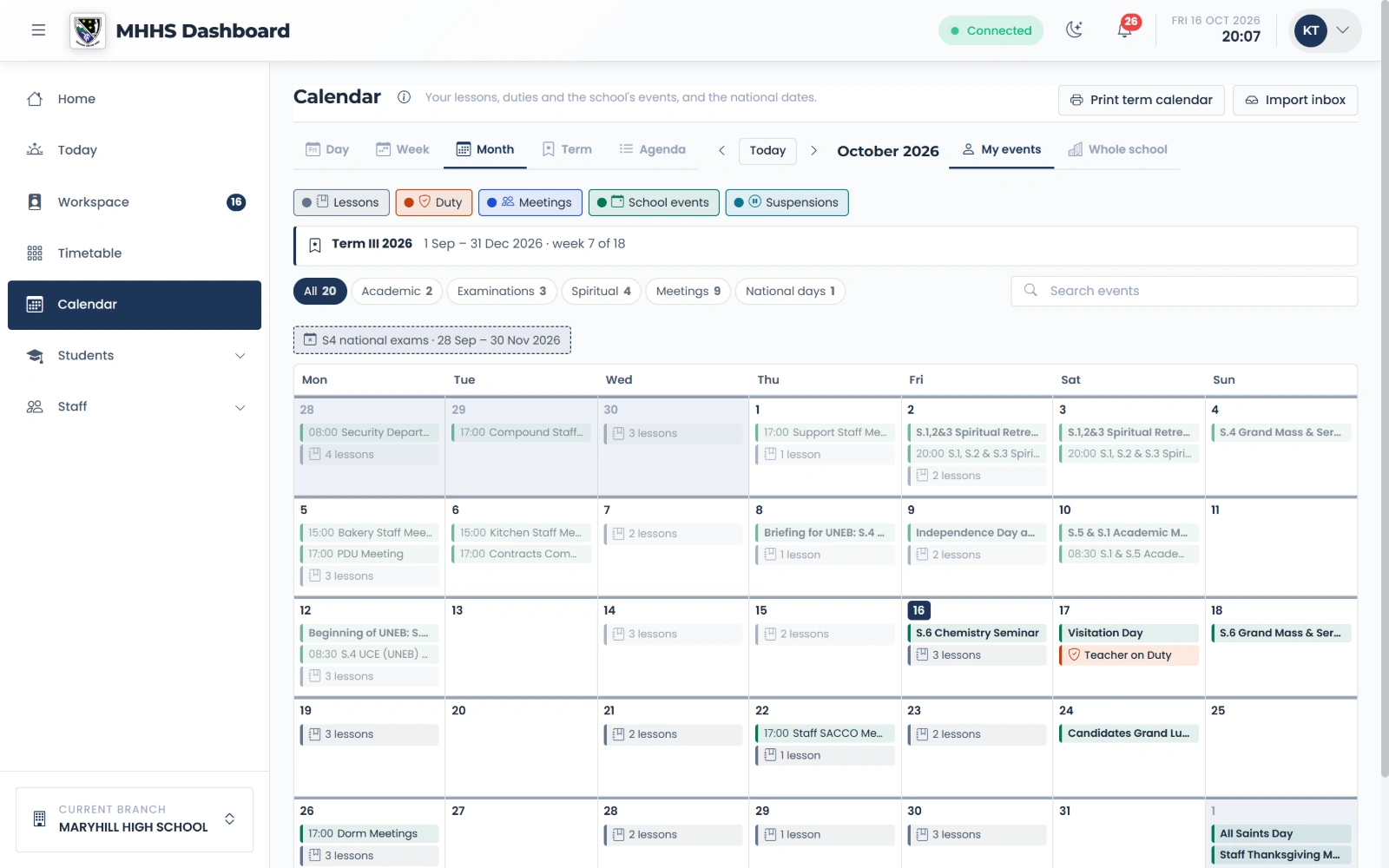
What staff see
Each member of staff sees their own lessons, duties and meetings beside the school’s events.
qmgr.cashbook.ug/calendar
Step 3 of 12
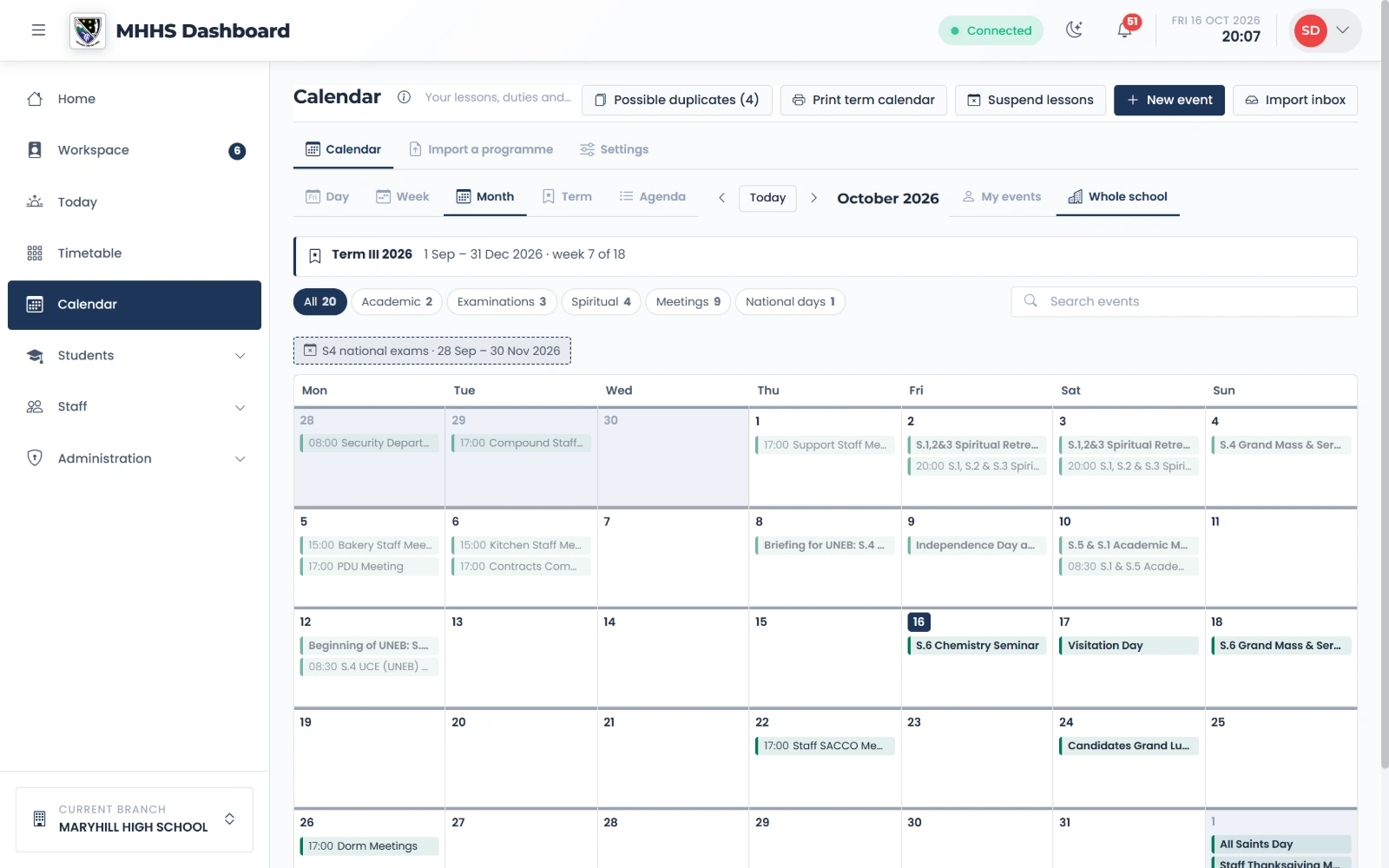
A new meeting
New event, from the top of the calendar.
qmgr.cashbook.ug/calendar
Step 4 of 12
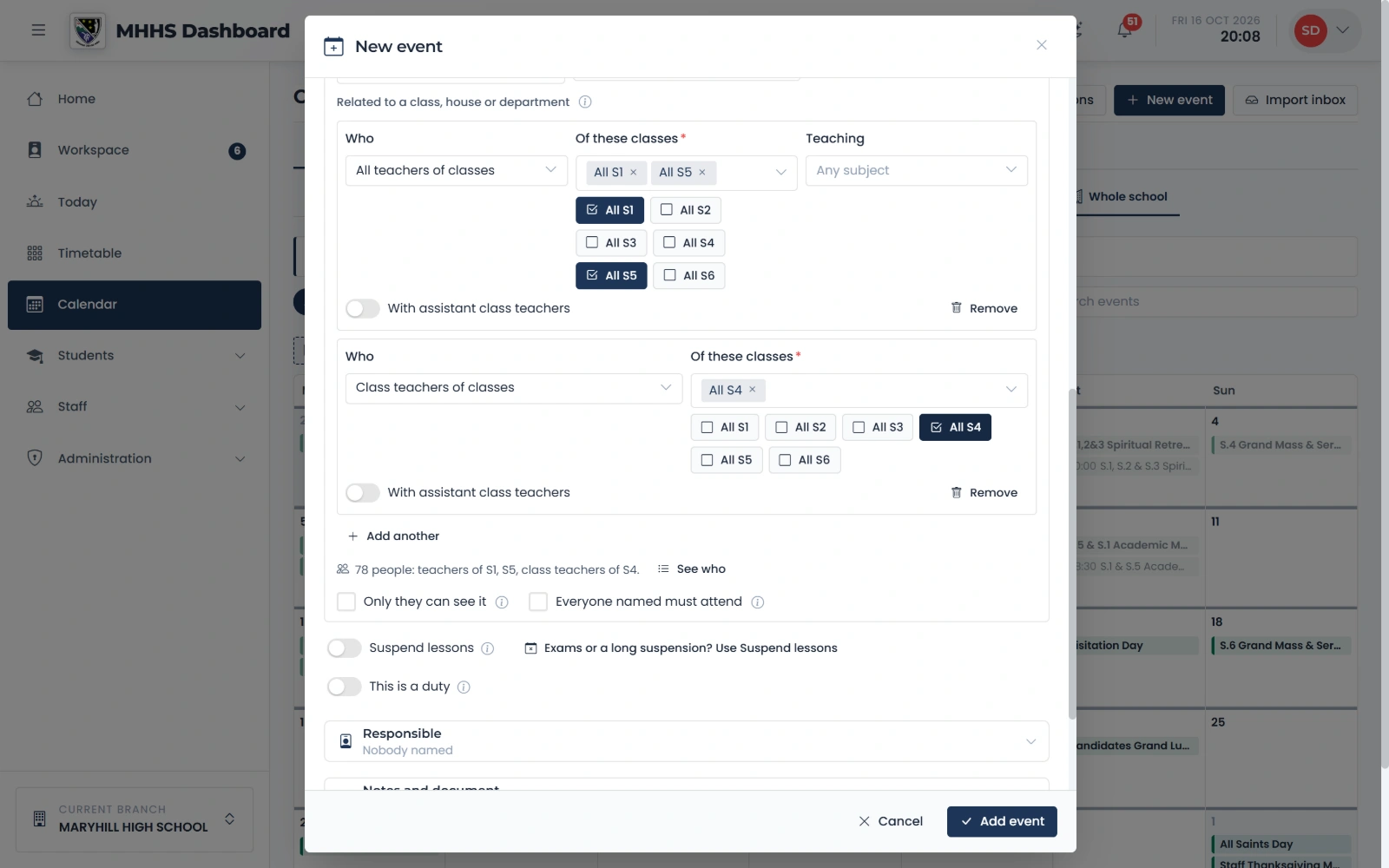
Who it is for
Reach people by what they do: the teachers of S1 and S5, the class teachers of S4.
qmgr.cashbook.ug/calendar
Step 5 of 12
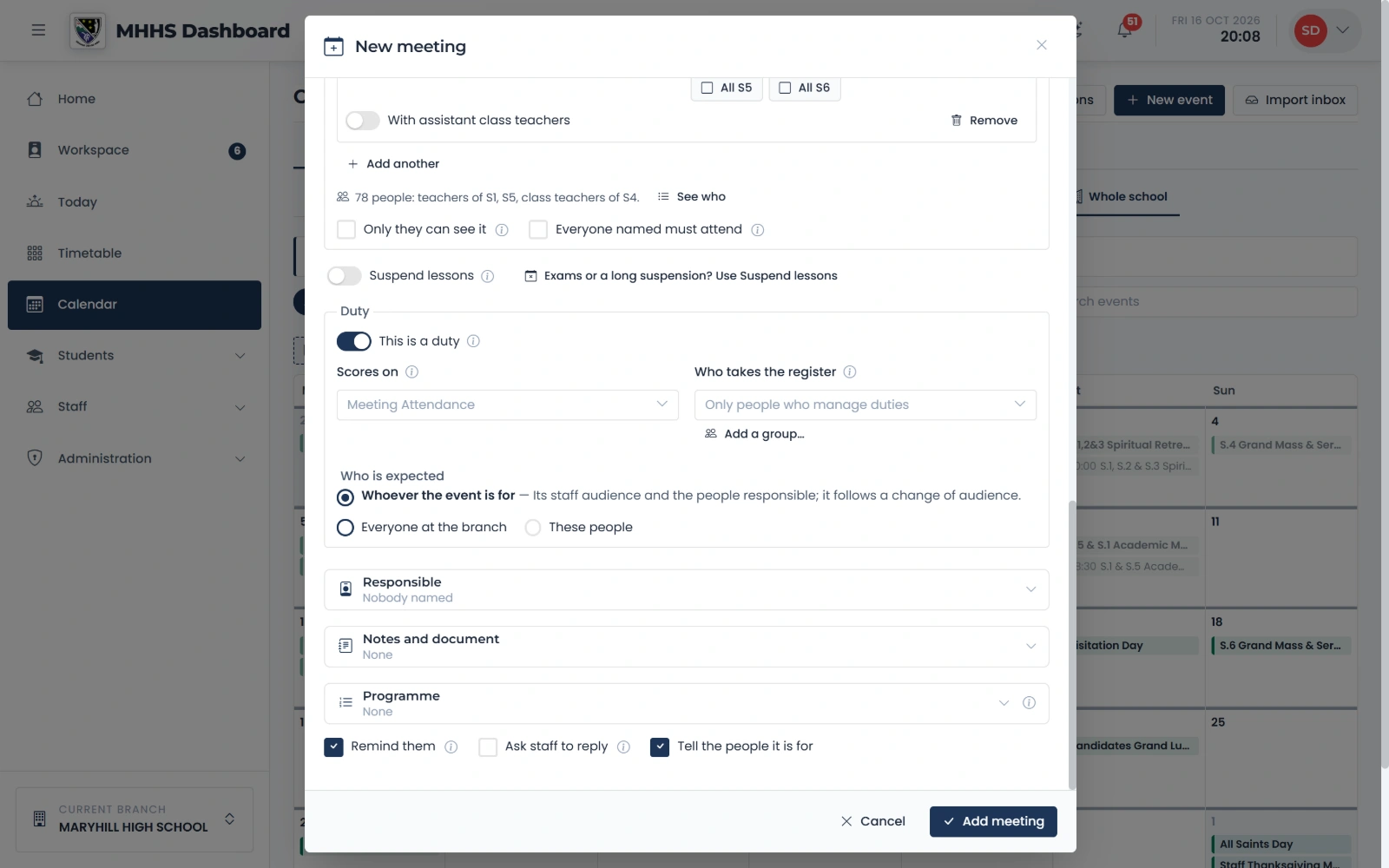
This is a duty
Switch it on and the meeting carries a register: the people it is for are expected, and it counts on their staff record.
qmgr.cashbook.ug/calendar
Step 6 of 12
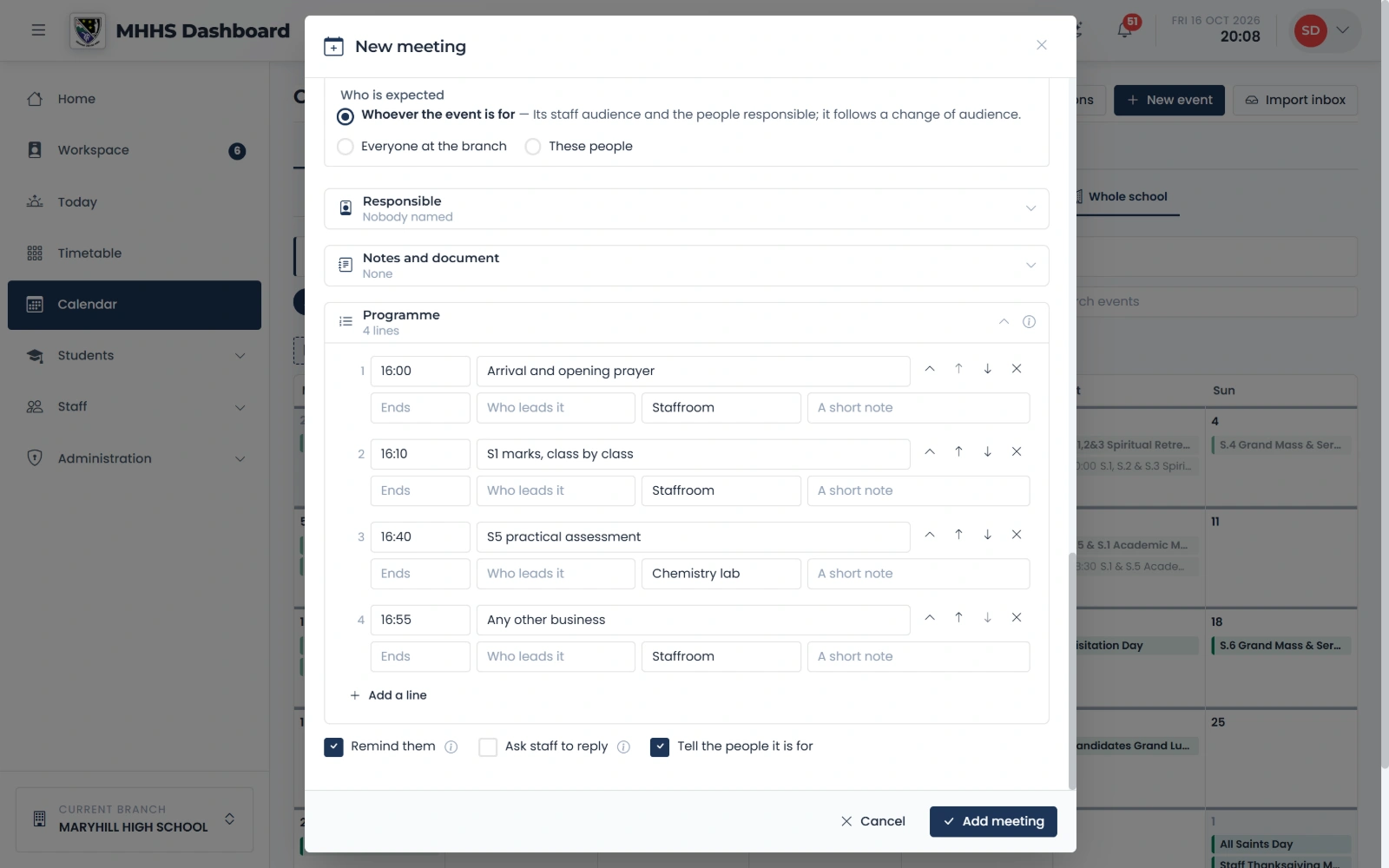
The programme, with where
The running order a line at a time: when, what happens, and where.
qmgr.cashbook.ug/calendar
Step 7 of 12
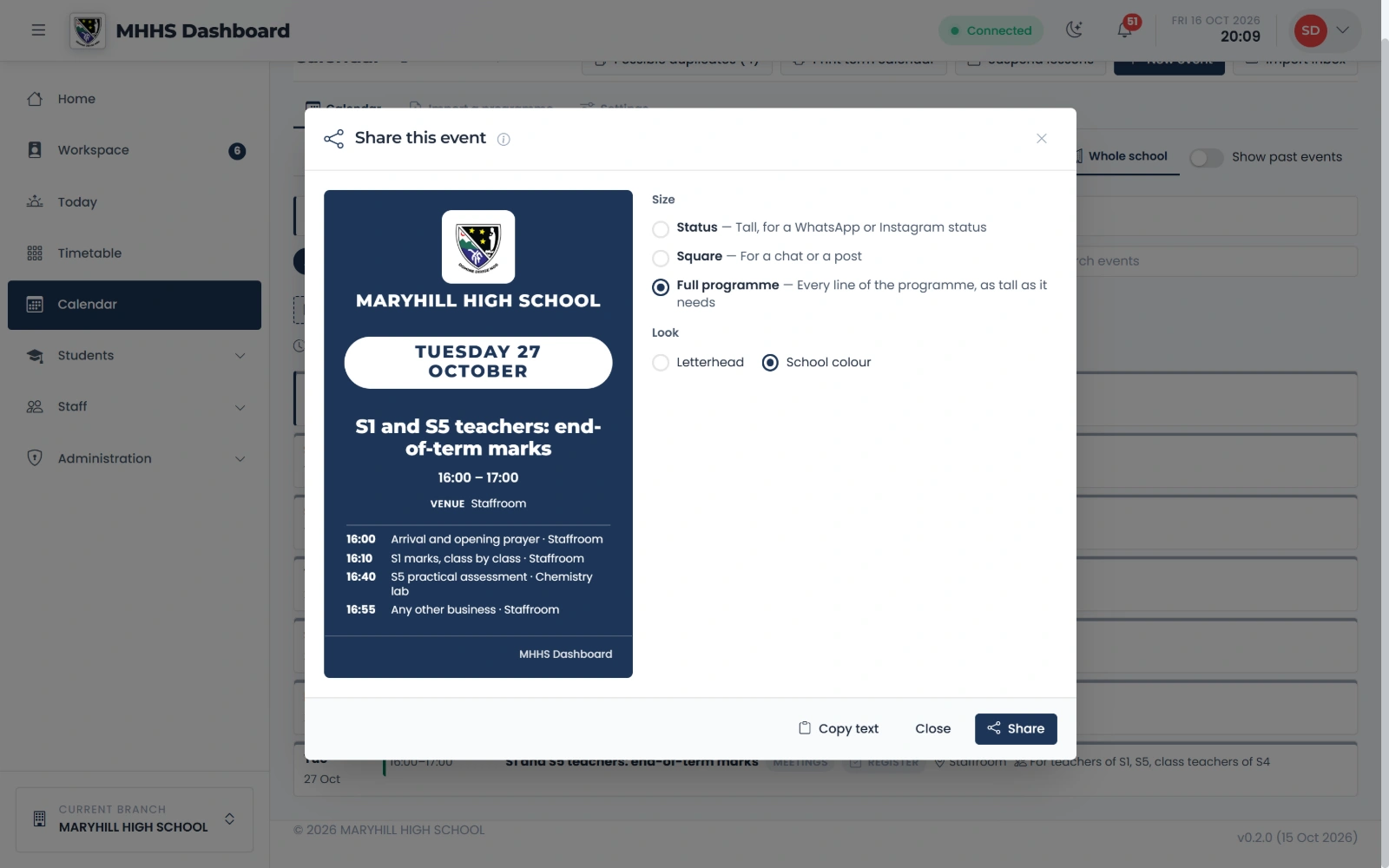
The share card
One press makes a card in the school’s colours, with the whole programme.
qmgr.cashbook.ug/calendar
Step 8 of 12
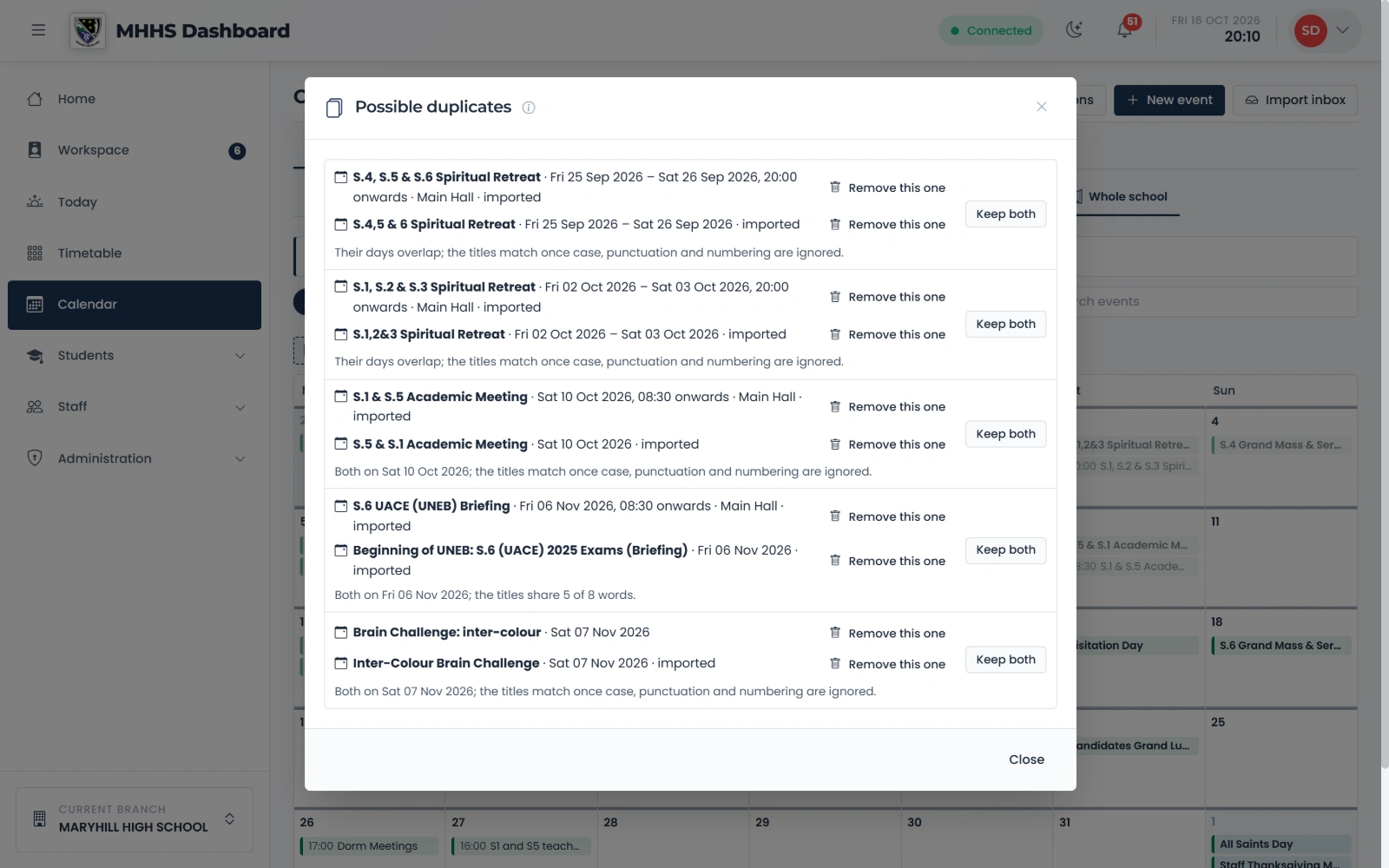
Keep both, or remove one
Each pair says why it looks the same. Remove the copy, or keep both when they really are two.
qmgr.cashbook.ug/calendar
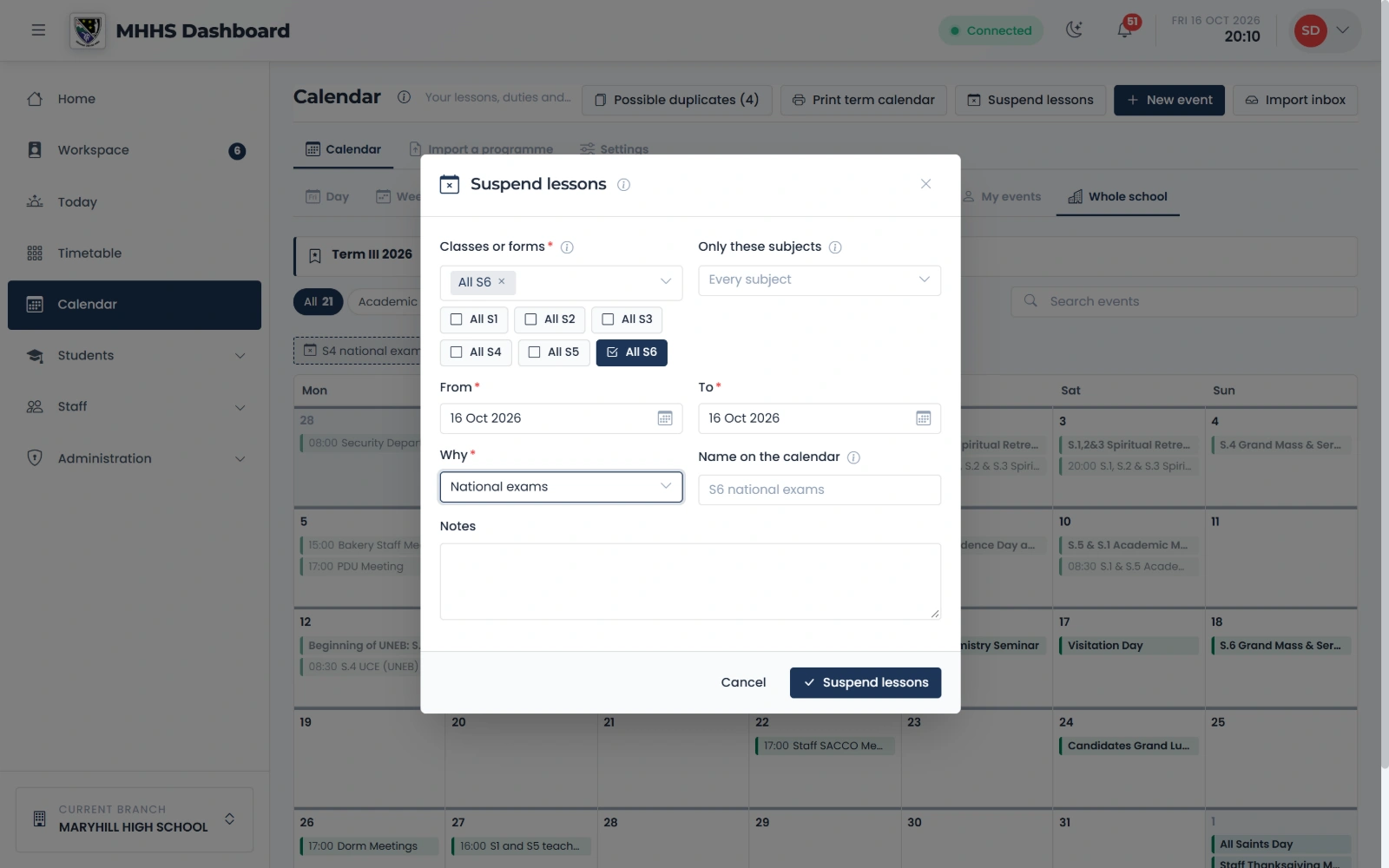
Step 9 of 12
Suspend lessons
For exams or a trip: All S6, which subjects, from when to when, and why.
qmgr.cashbook.ug/calendar
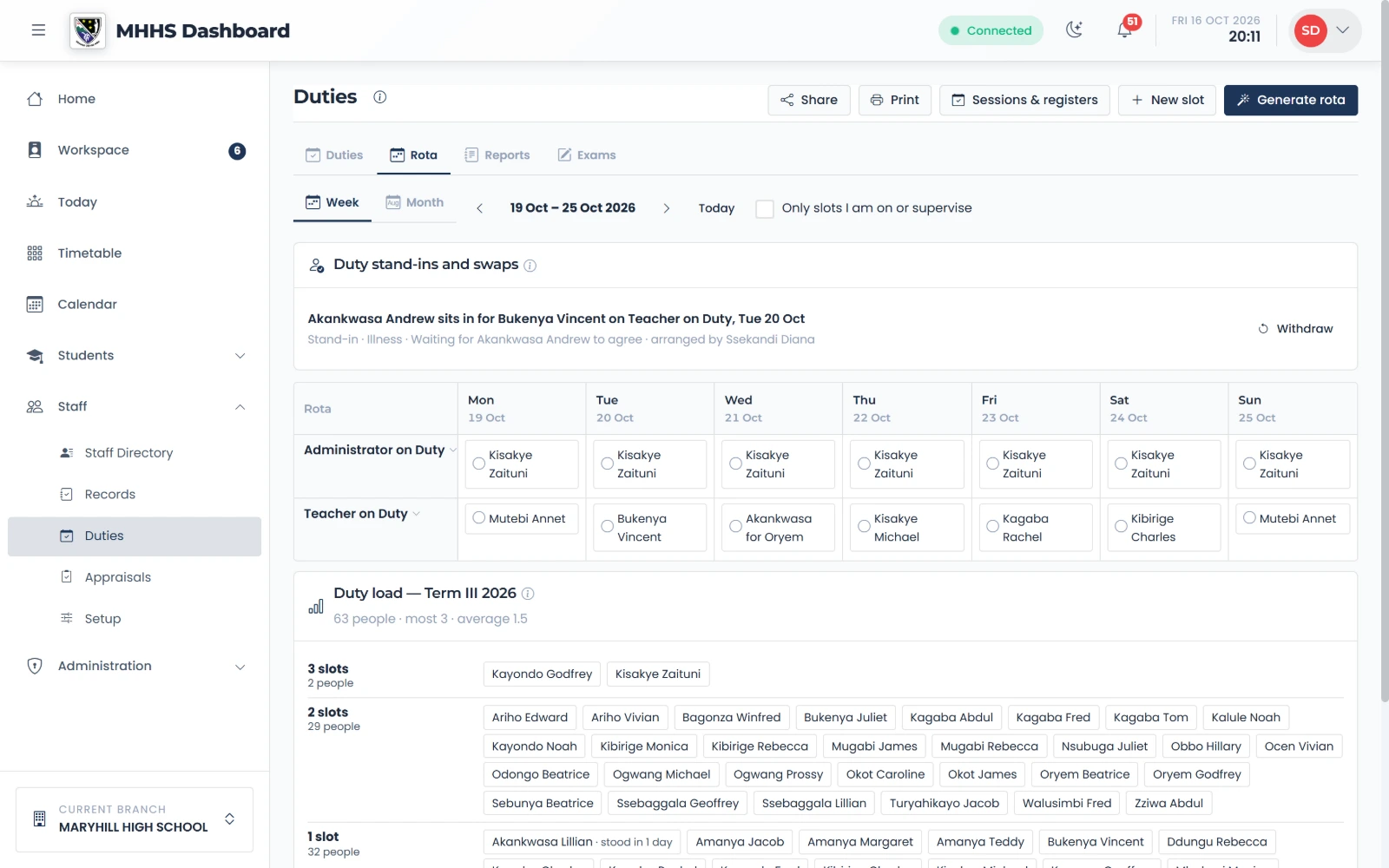
Step 10 of 12
The rota says who sits in
The day reads “stand-in for the person on duty”, on the rota, the share card and Today.
qmgr.cashbook.ug/admin/staff/duties?tab=rota
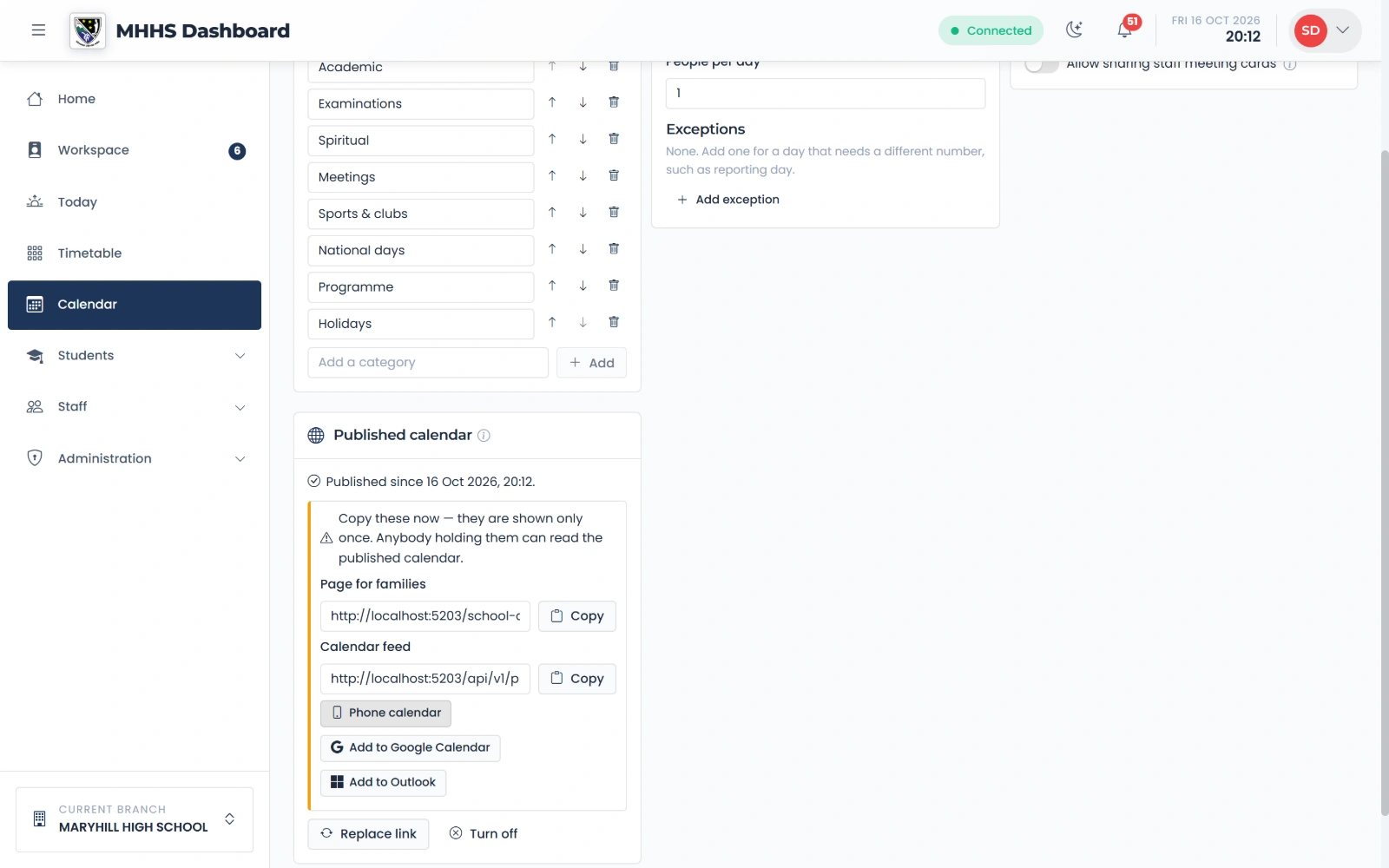
Step 11 of 12
The calendar for families
Publish the calendar: a page and a feed families can subscribe to, with no names and no notes.
qmgr.cashbook.ug/calendar?tab=settings
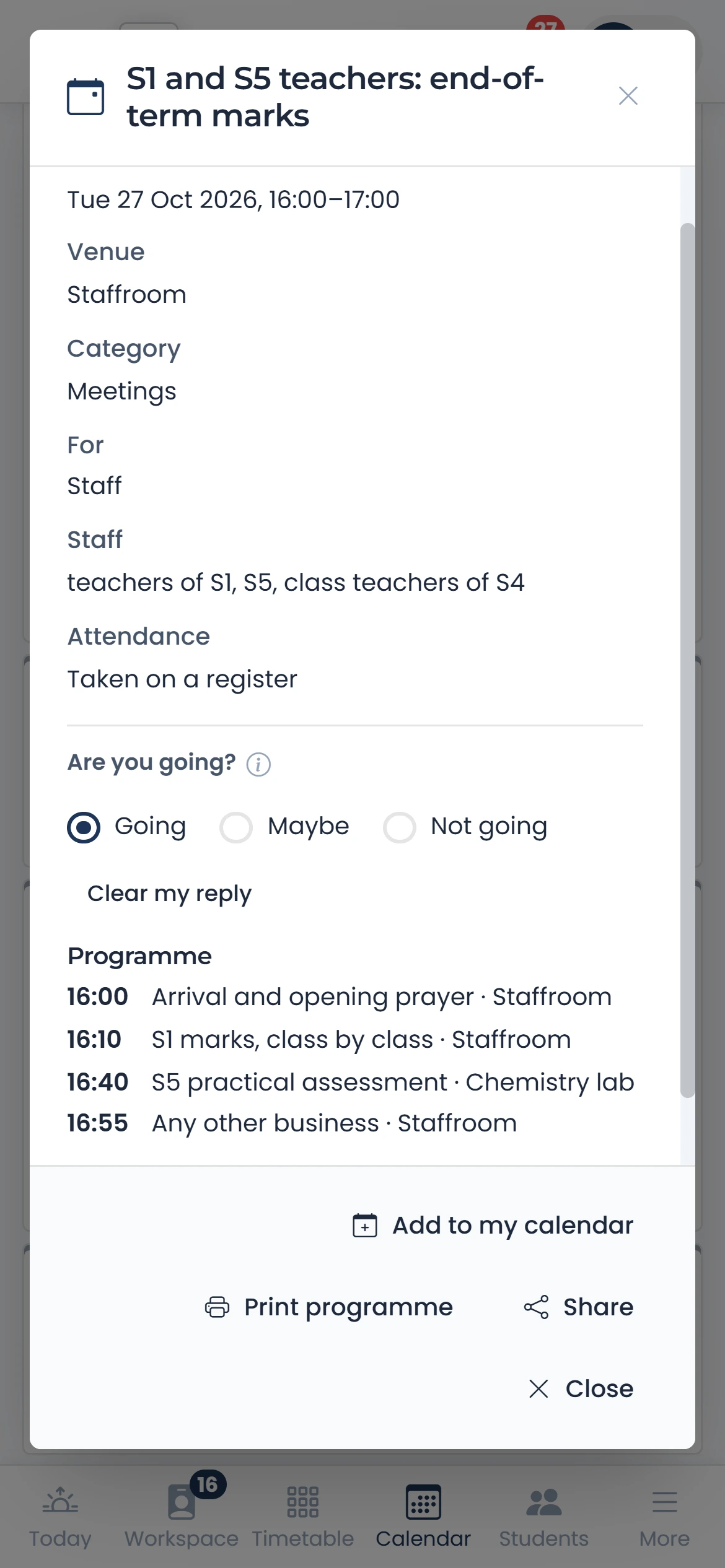
Step 12 of 12
Staff reply
A teacher opens the meeting on their phone and says whether they are going.
qmgr.cashbook.ug/calendar
See it with your own school
Start a free trialBook a demonstration on WhatsApp
Or call +256 753 404 044