
Front office and communication
The front office, on a computer · 13 steps. Filmed at Maryhill High School, where the pilot runs; the names of staff and students are made up.
That is the Dashboard.
Try it with your own school: the free trial needs nothing installed.
Start a free trialBook a demonstration on WhatsApp
Or call +256 753 404 044
All 13 steps on one page
Step 1 of 13
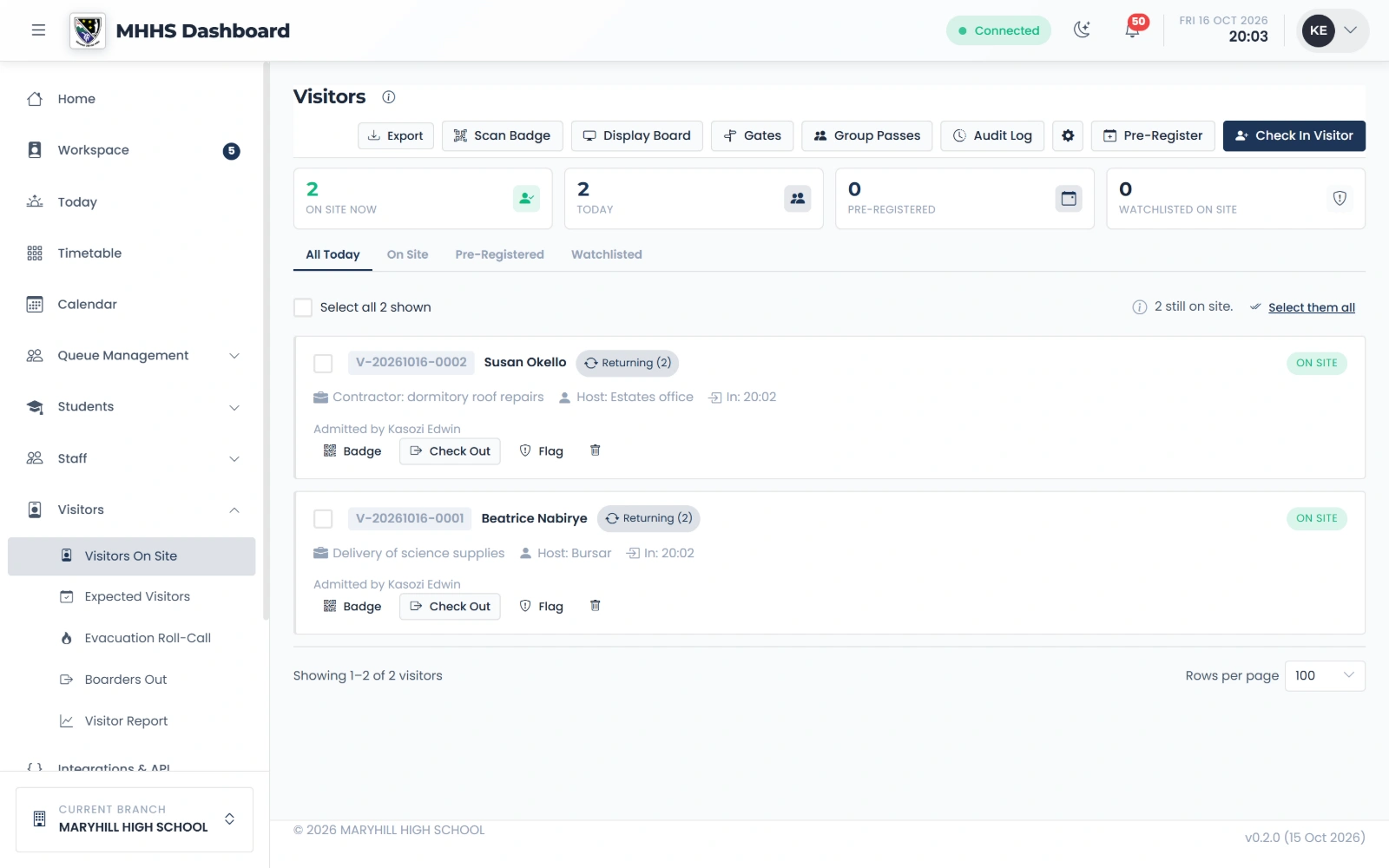
Who is on site now
Everybody on site now, with their badge, who they came to see and when they arrived.
qmgr.cashbook.ug/admin/visitors
Step 2 of 13
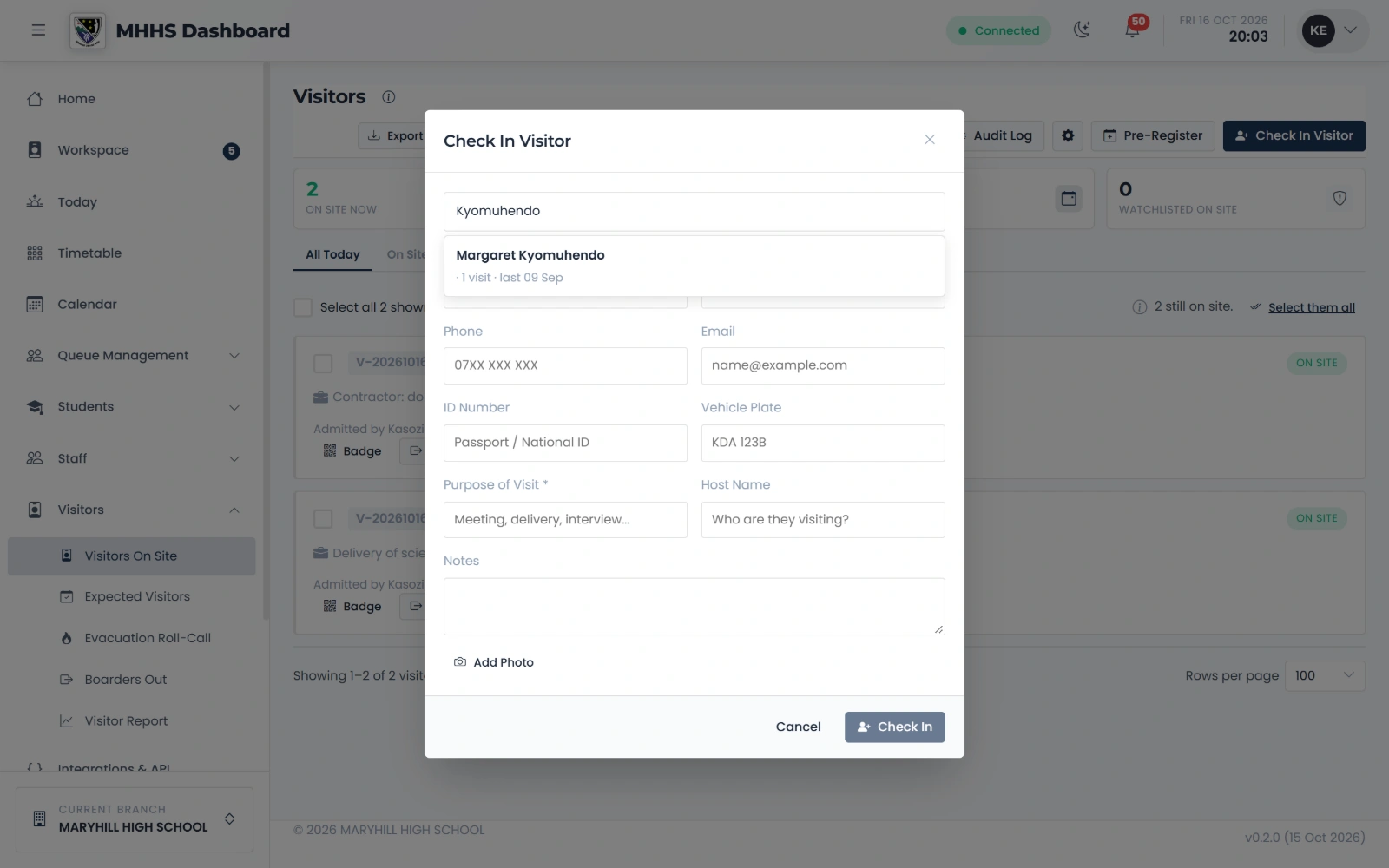
Check a visitor in
Type a name: somebody who has been before comes back with their details, so the desk does not type them again.
qmgr.cashbook.ug/admin/visitors
Step 3 of 13
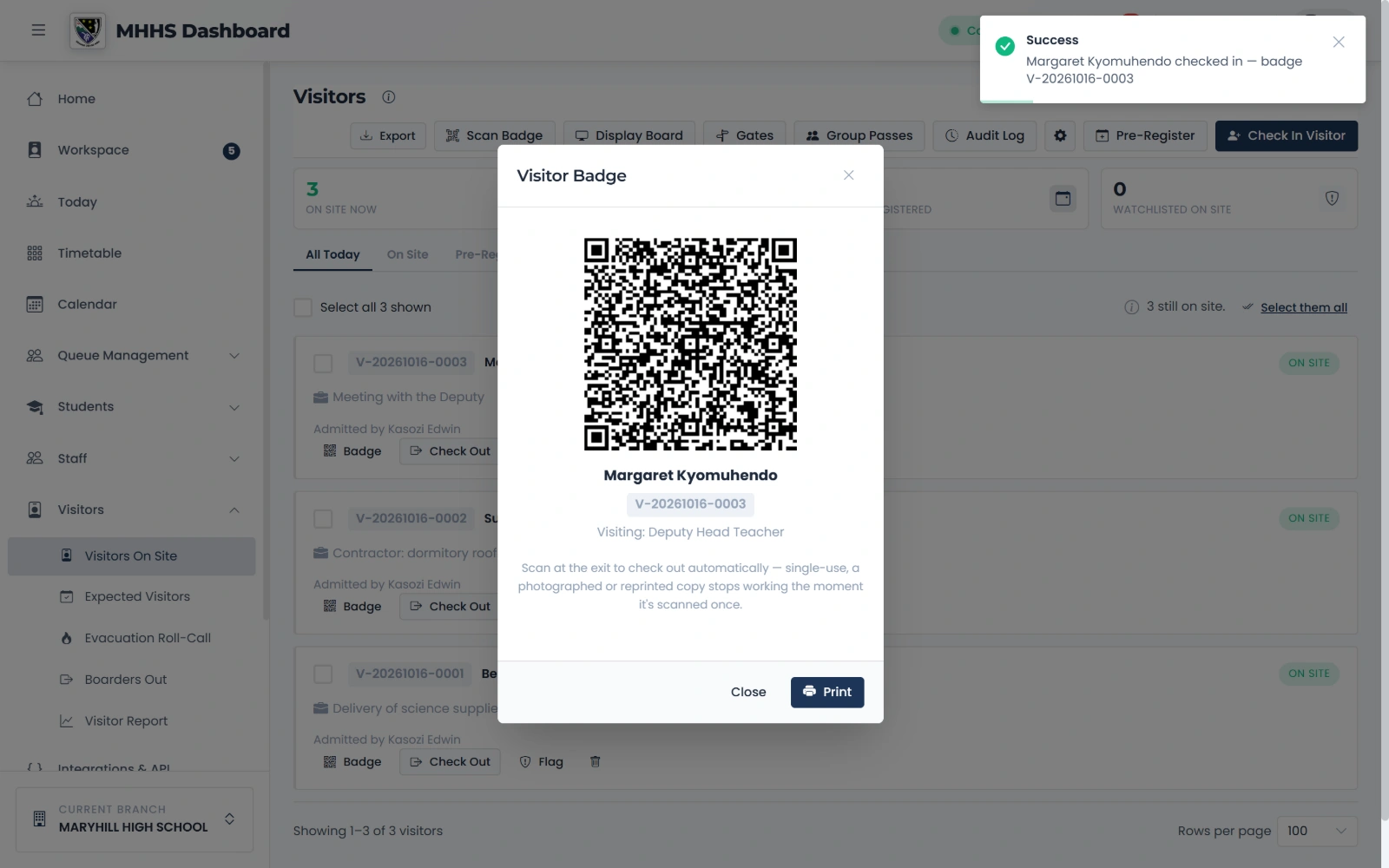
A badge for every visitor
Print the badge. It is scanned at the exit to check the visitor out, and works once only.
qmgr.cashbook.ug/admin/visitors
Step 4 of 13
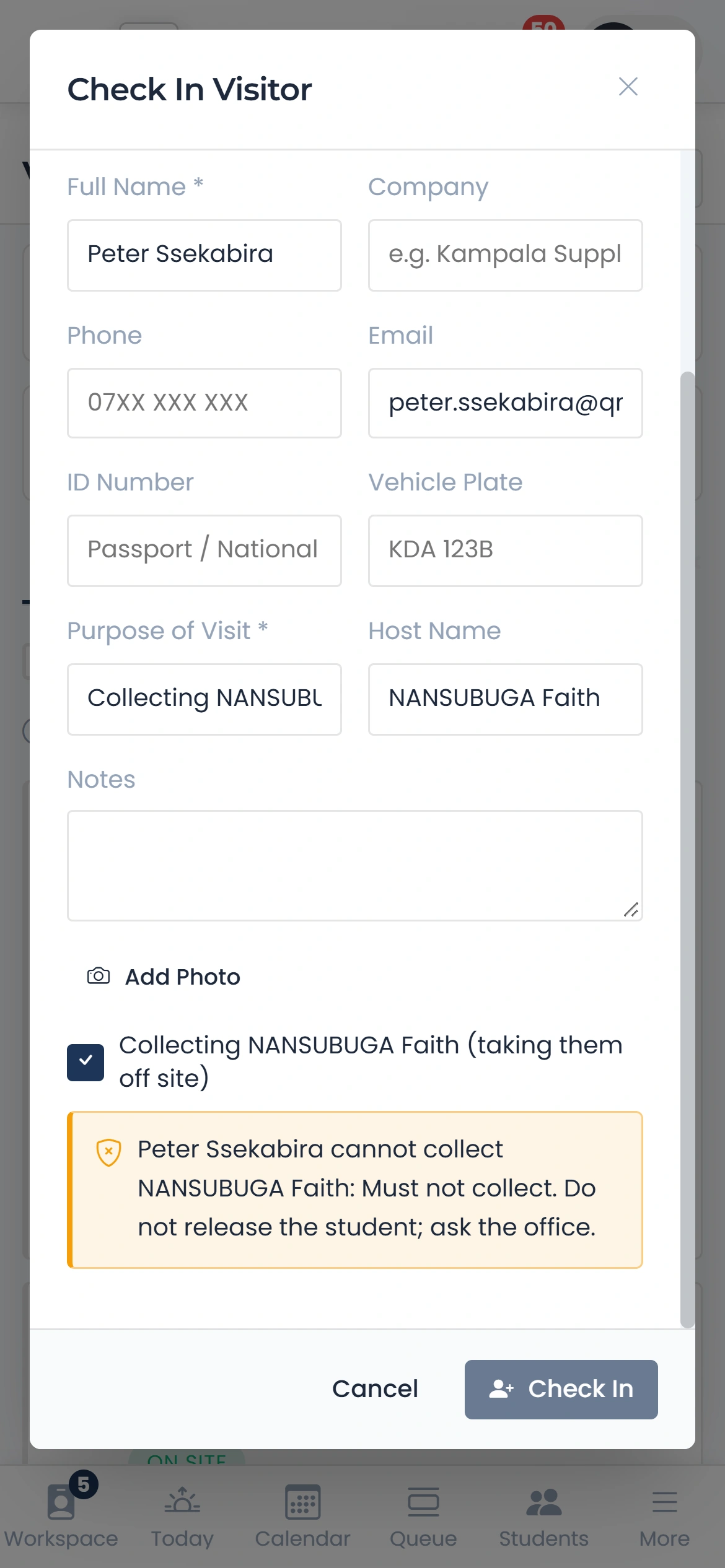
A guardian who may not collect
Tick Collecting and the desk is told at once not to release the student.
qmgr.cashbook.ug/admin/visitors
Step 5 of 13
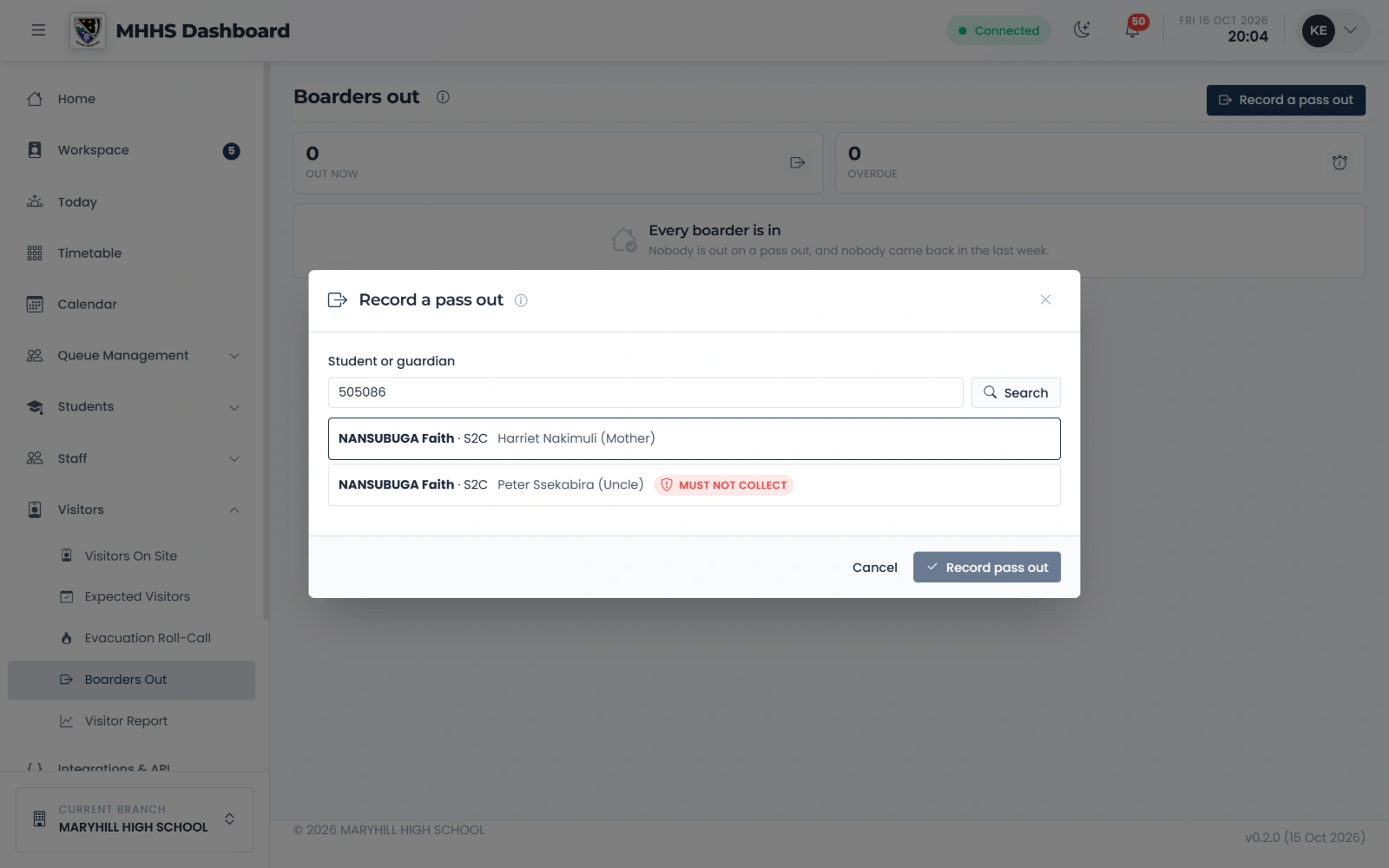
Record a pass out
Search the student: each guardian on record is listed, and a guardian who may not collect carries the mark.
Step 6 of 13
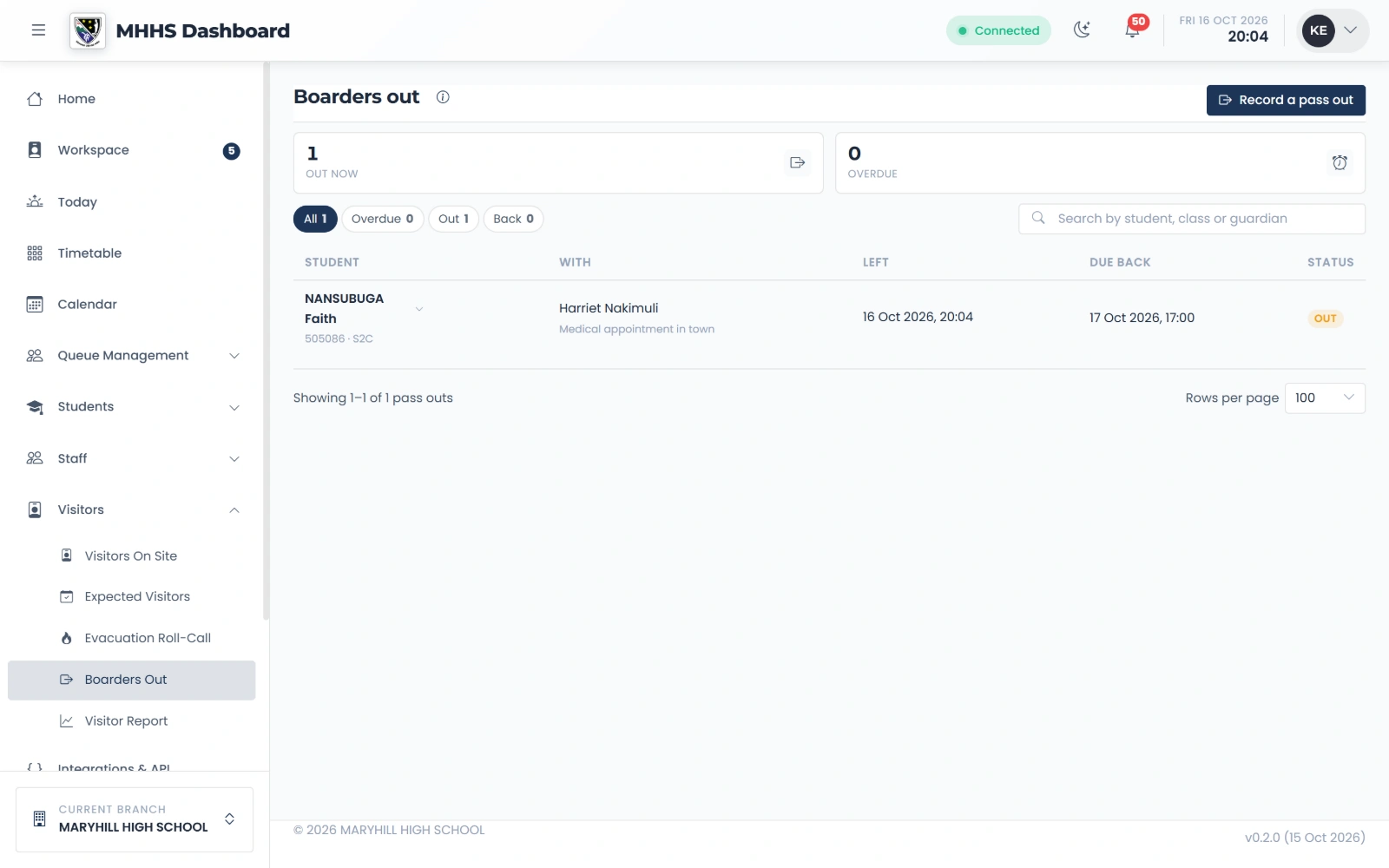
Boarders out
She is on the list until she comes back.
Step 7 of 13
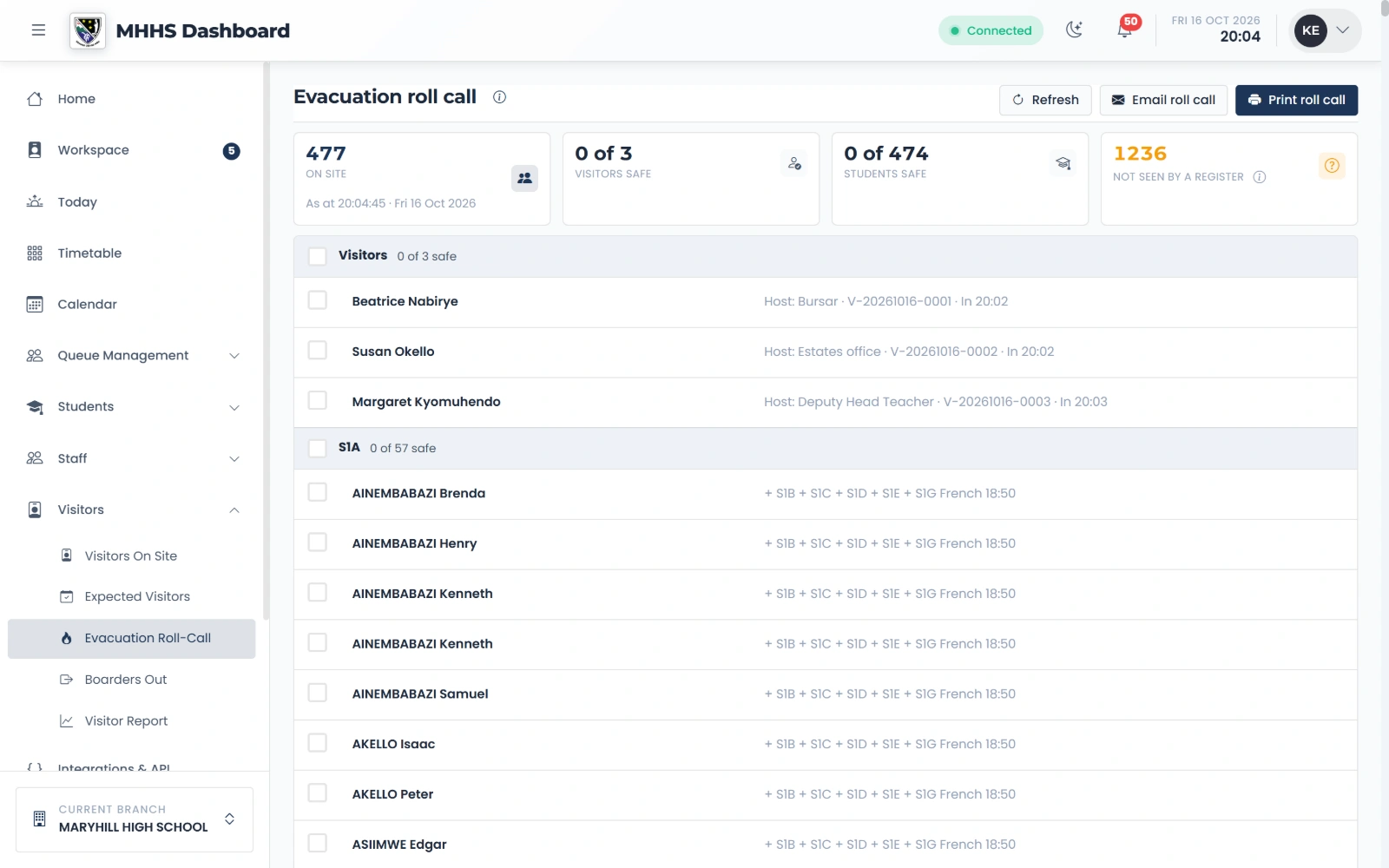
The evacuation roll call
In a fire drill: every visitor on site and every student, ticked safe one by one at the assembly point.
qmgr.cashbook.ug/admin/visitors/evacuation
Step 8 of 13
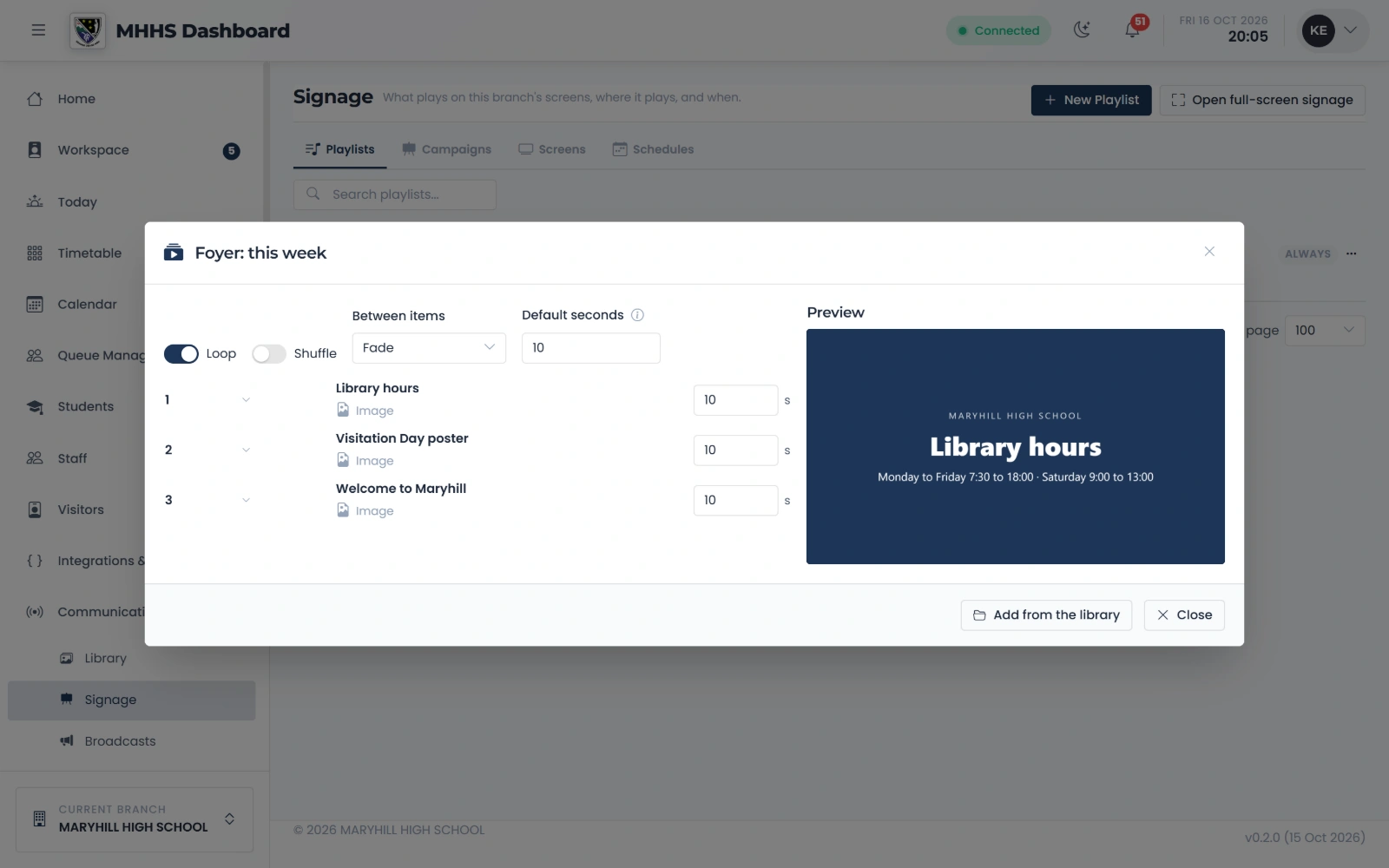
A playlist for the foyer screen
Each item in order, how long it stays, and a preview of what the screen will show.
qmgr.cashbook.ug/content/signage
Step 9 of 13
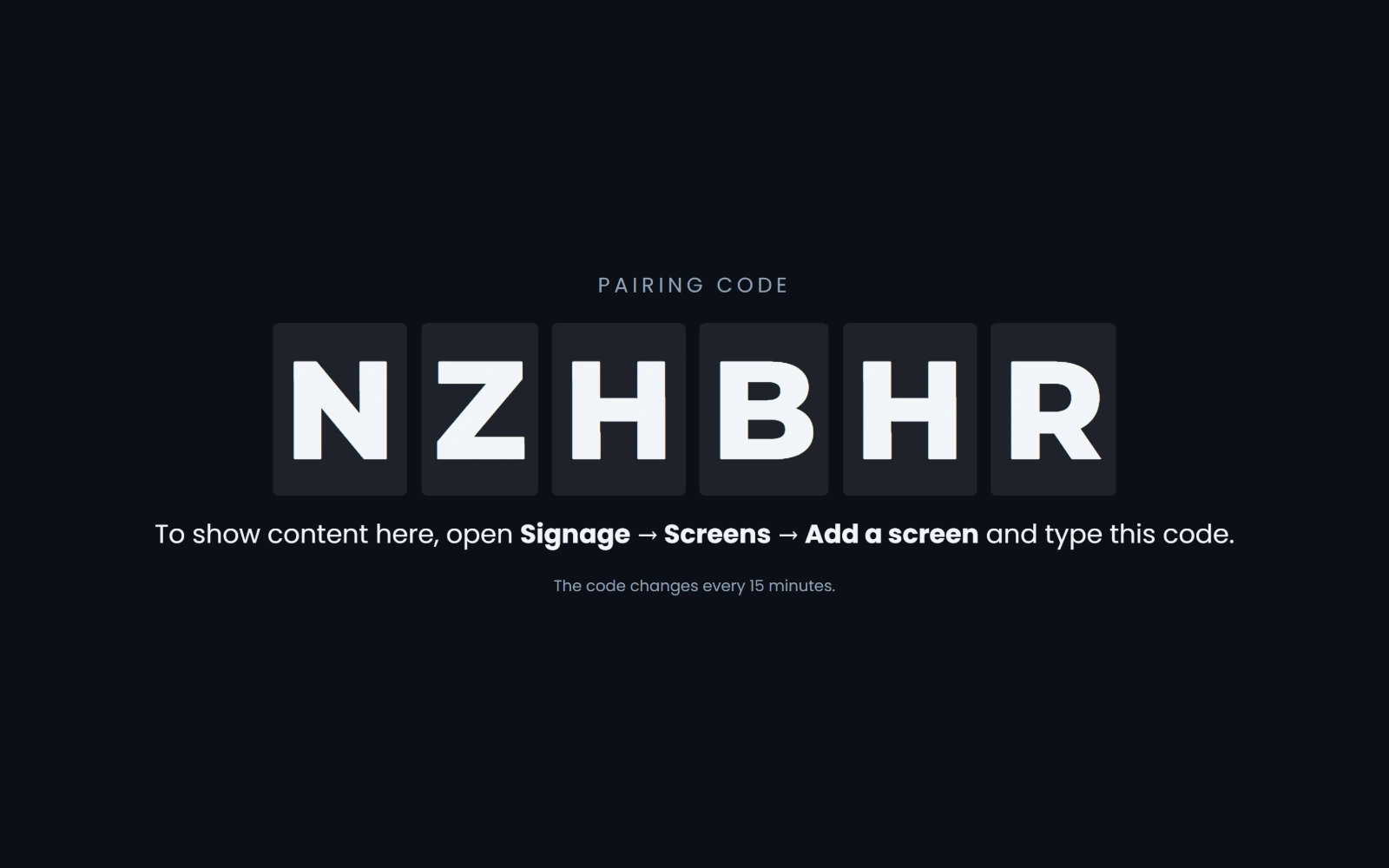
The screen shows a code
On the television in the foyer, open the school’s address with /screen: it shows a six-character code.
qmgr.cashbook.ug/screen
Step 10 of 13
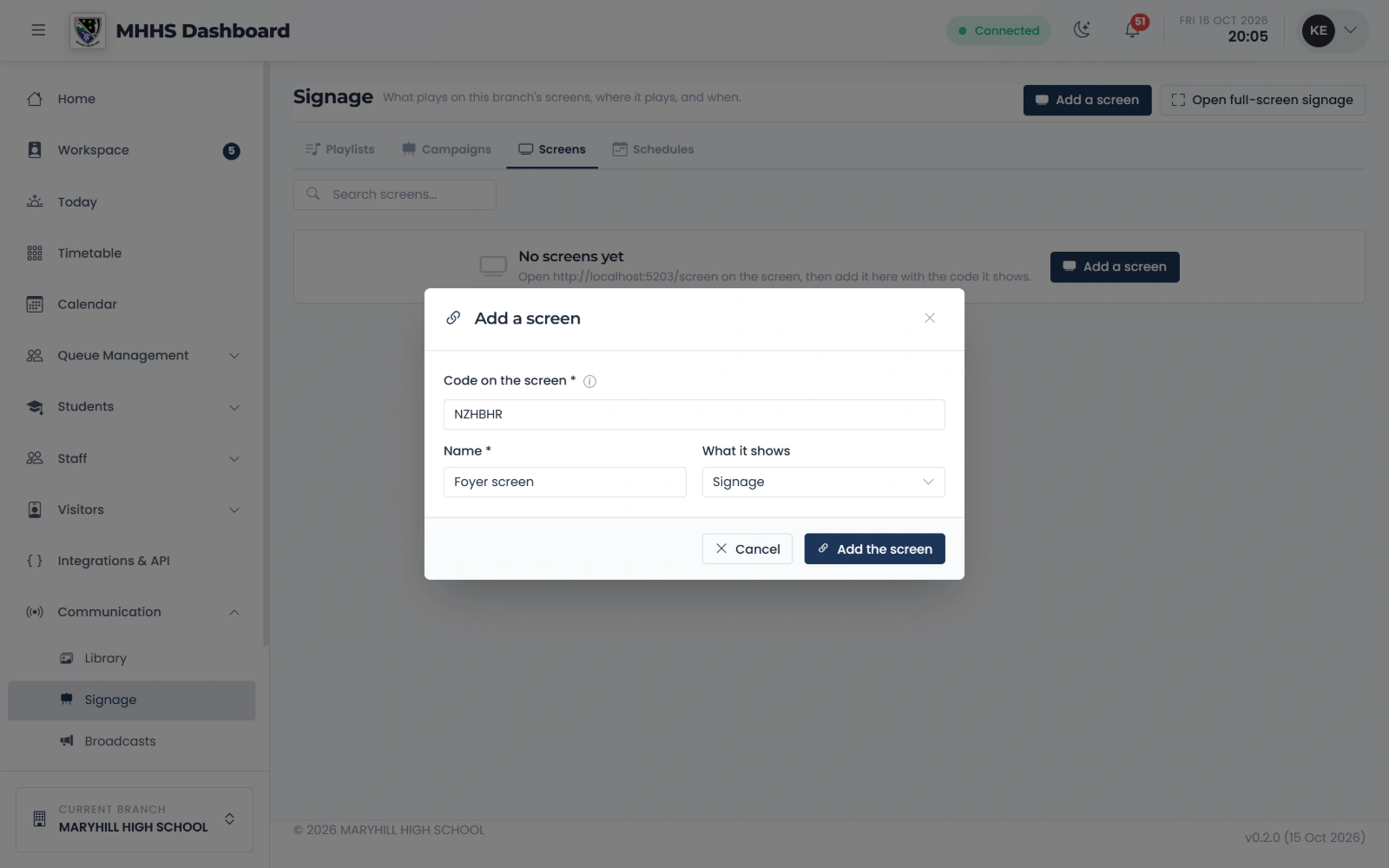
Add a screen with its code
The code from the screen and a name for where it hangs.
qmgr.cashbook.ug/content/signage?tab=zones
Step 11 of 13
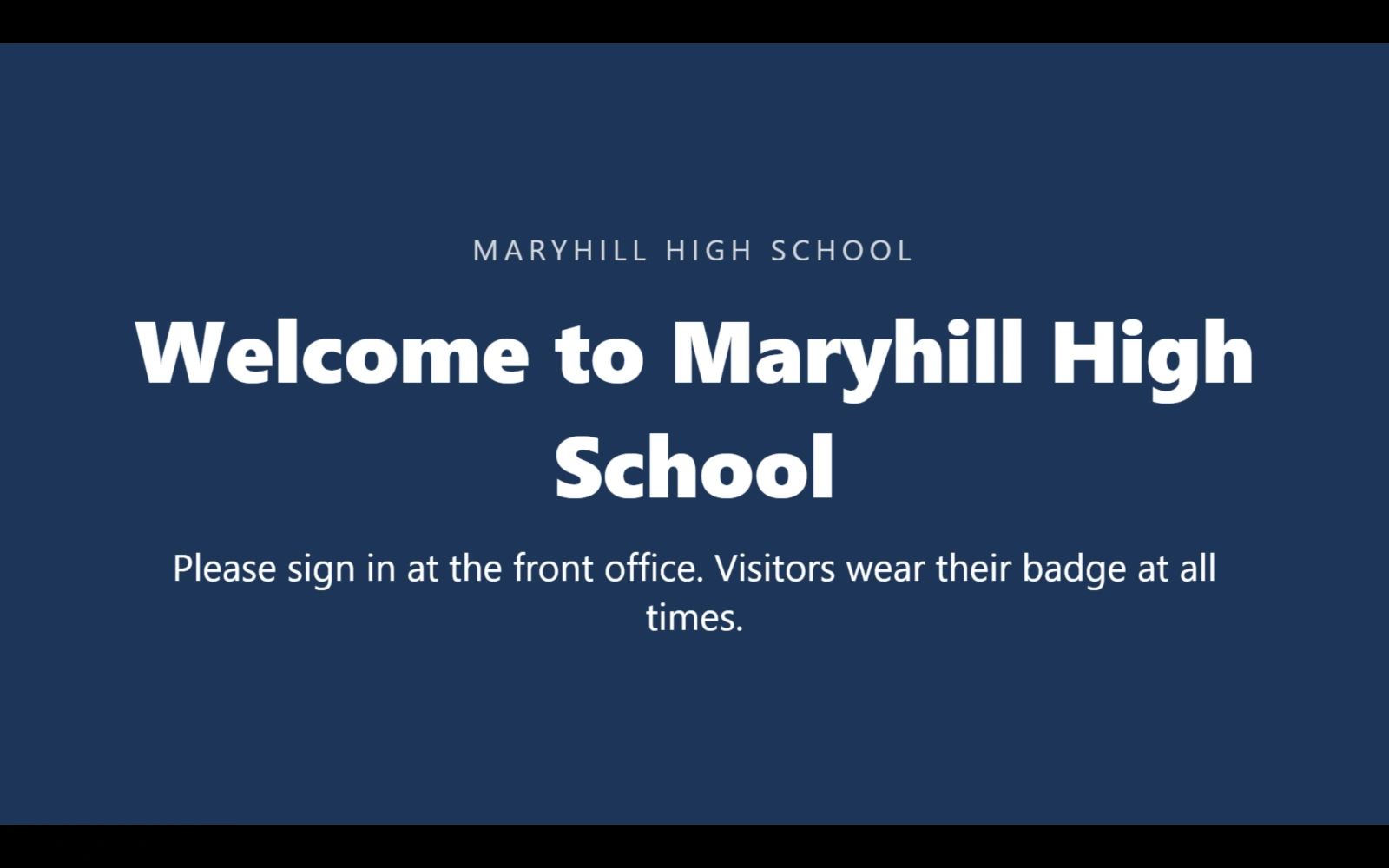
The screen plays the playlist
Within seconds the foyer screen plays the playlist.
qmgr.cashbook.ug/screen
Step 12 of 13
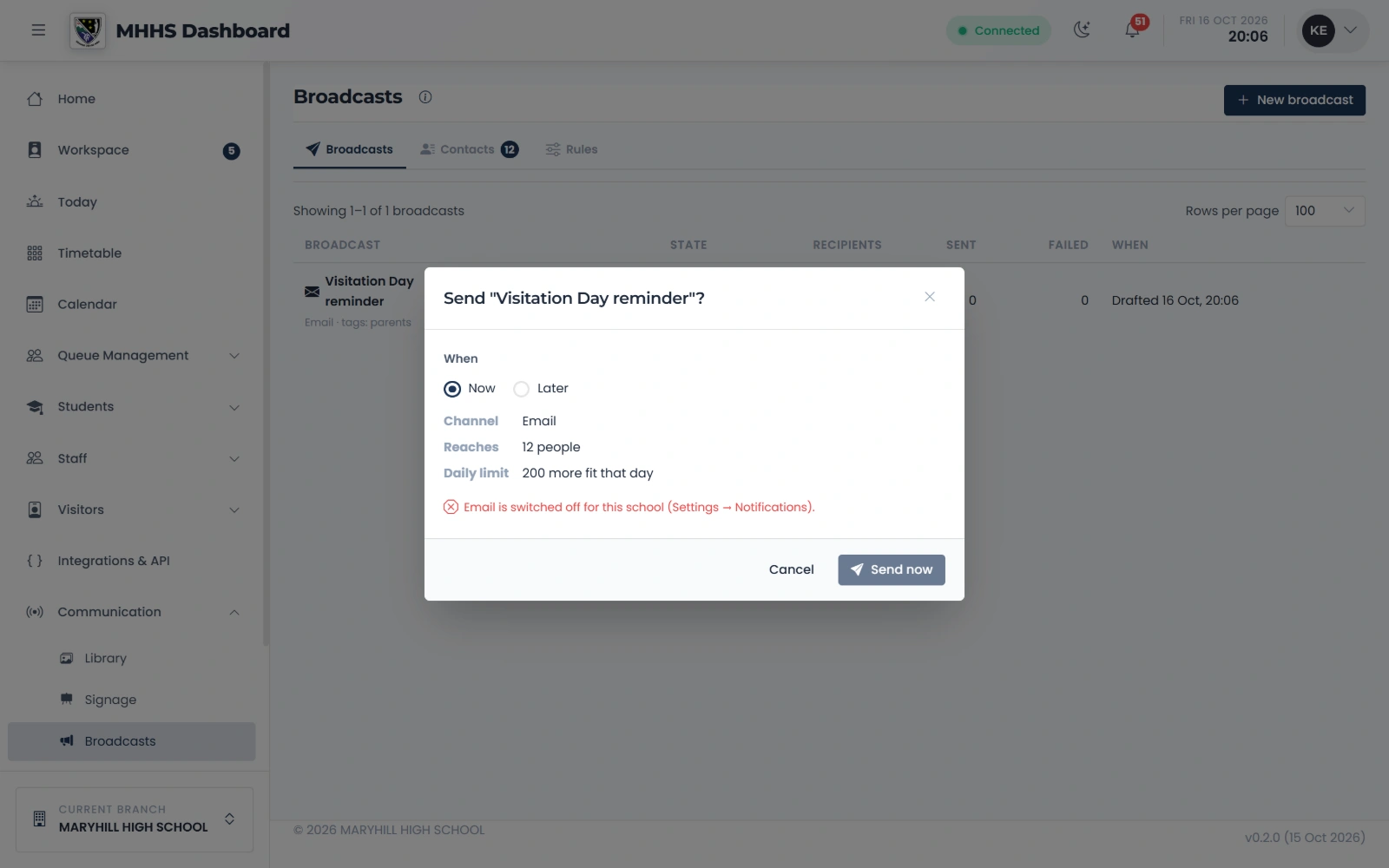
Check before it sends
The confirm step says who it reaches, who is left out and why, and the day’s limit.
qmgr.cashbook.ug/admin/marketing
Step 13 of 13
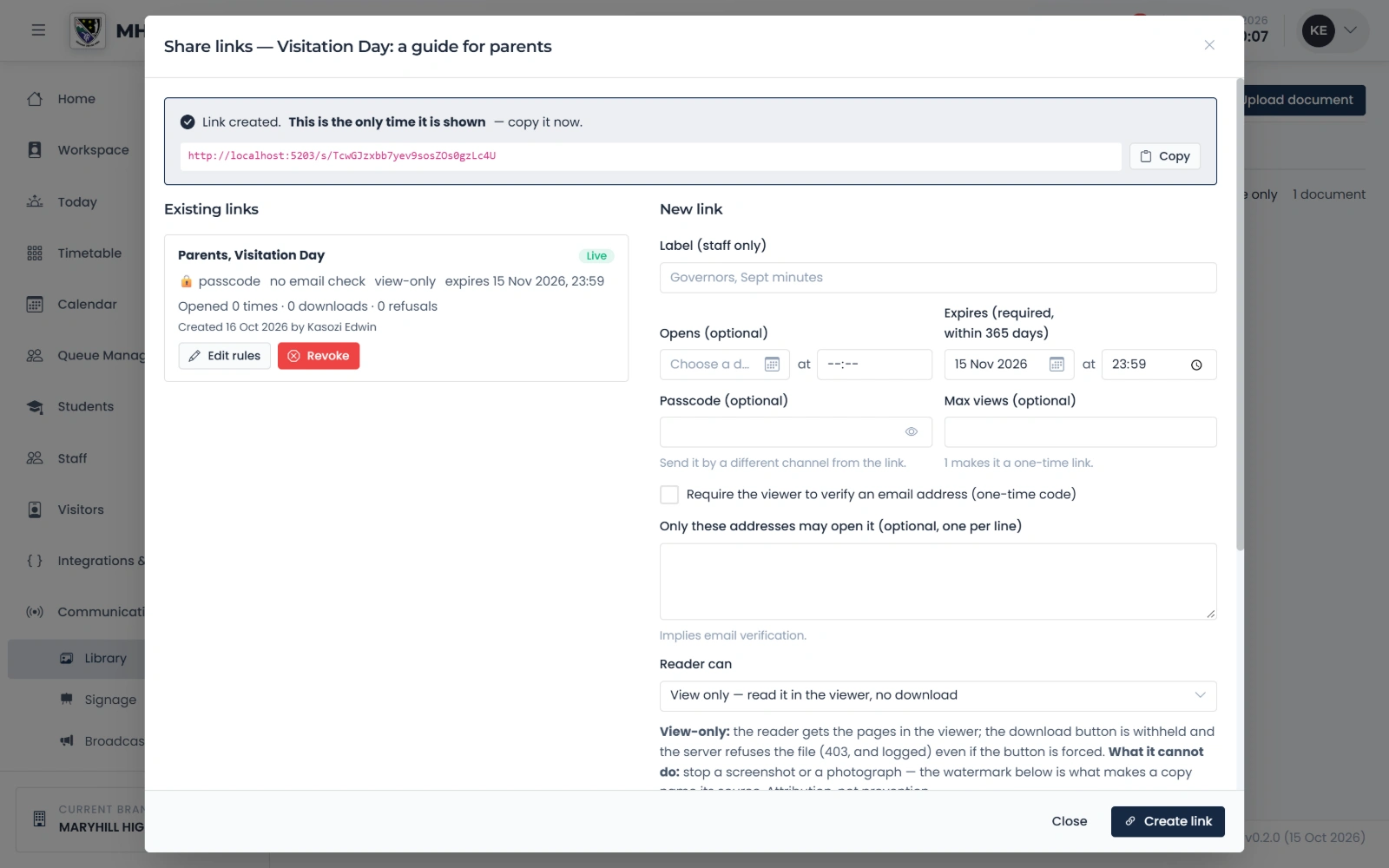
A secure link to a document
Copy the link for the parents’ group. It can expire, take a passcode or open once; every opening is recorded, and it can be revoked.
qmgr.cashbook.ug/content/library
See it with your own school
Start a free trialBook a demonstration on WhatsApp
Or call +256 753 404 044